 Start Free Trial
 Does page speed affect SEO on Shopify?
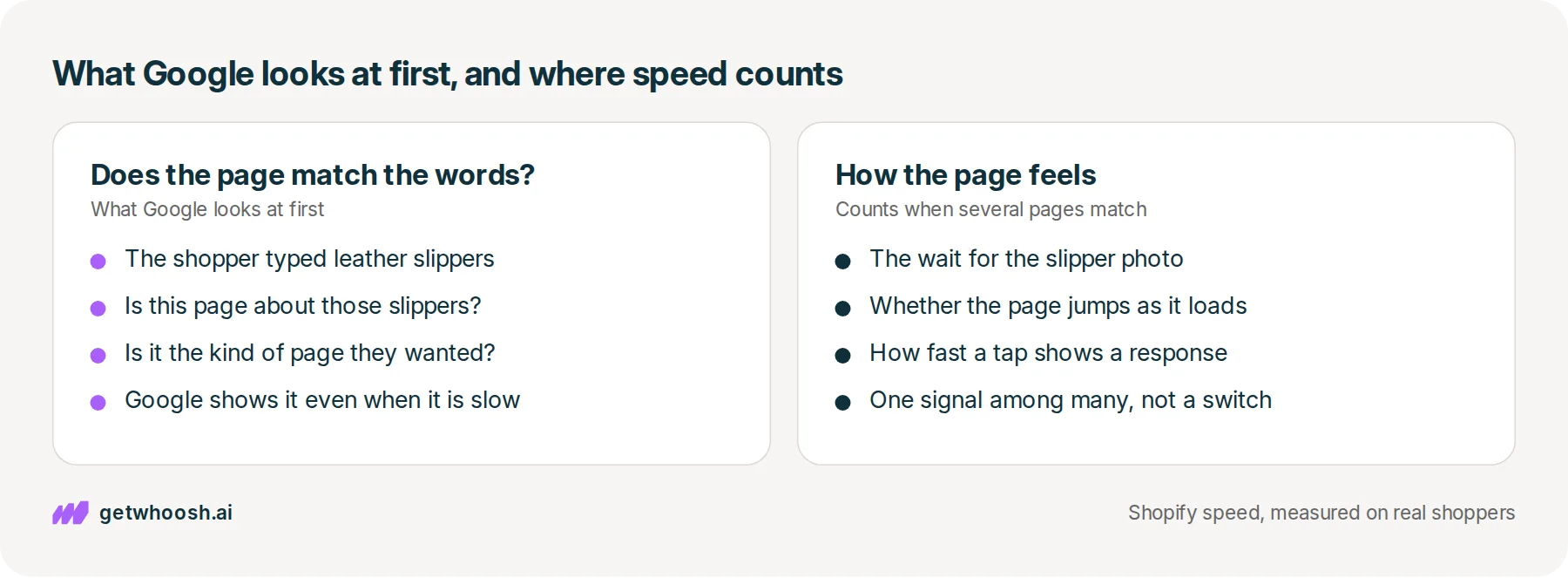
A shopper types leather slippers into Google on their phone. Google shows the page that matches those words best, even when it is slow, and speed only counts between pages that match equally well. Here is the phone check that tells you which one to fix first.

Edward Cameron · Founder, Whoosh
7 min read

In short
Yes, but it comes second. Google weighs how a page feels for shoppers, and it puts first whether the page matches what they typed. It shows the most relevant page even when that page is slow. A faster product page only gets ahead when several pages already match the search equally well, so check which page sits above yours before you spend time on speed.
- Google shows the page that best answers what the shopper typed, and its own page experience guide says it does that even when the page is slow.
- How the page feels for shoppers (the wait for the photo, the page jumping, the response to a tap) is one of the things Google weighs, and it counts when several pages already match the search.
- A good result in a speed report does not put your slippers at the top. If the page above yours is the better match, the match is the thing to fix.
- Search the slippers on your phone, open the result above yours, and only look at speed when that page is the same kind of match as yours.
A shopper types leather slippers into Google on their phone
Someone on the couch wants new slippers, so they pick up their phone and type leather slippers into Google. A column of links comes up, and somewhere in that column are your cognac leather slippers.
A faster slipper page does not jump above a page that matches the search better. Google still shows the page that fits the words best, even when that page is slow, and how your page feels for real shoppers only counts once several pages are already a good match.
Two words get thrown around a lot here, so let’s pin them to the slippers. Page speed is how long the shopper waits for your slipper page to come together on their phone after they tap your link, and SEO, short for search engine optimization, is whether that page shows up in the column at all.
Both matter, but they do different jobs. One decides whether the shopper finds the slippers, and the other decides how long they wait after they tap, so before you spend a weekend on speed to climb that column, it pays to know what Google looks at first.
What Google does with a slow page that matches the words
OK, so let’s start with the moment the shopper taps search. Google goes through the pages it already knows about, finds the ones that match leather slippers, and puts the ones it thinks fit best near the top.
Google’s page on how Search works says it returns the results it believes are the highest quality and most relevant to what was typed, and that the shopper’s location, language, and device can change that order.
So the shopper on a phone can see a slightly different column from the one on your laptop, which is why the check at the end happens on a phone.
Next up, the wait. Google does look at how the page feels once someone opens it, and on a product page that comes down to three things a shopper would notice without knowing the names for them.
The first is how long until the main thing is on screen, which on your page is usually the slipper photo. The second is whether the page jumps around while it loads, so the shopper taps the wrong size. The third is how fast the page shows a response when they tap a size or a colour.
Google groups those three under one name, Core Web Vitals, and its page on page experience says they are used by its ranking systems. So the people telling you speed counts for SEO are right about that much.
But here’s the catch. The same page experience guide says Google Search always seeks to show the most relevant content, even when that page feels slow to a shopper.
Relevant means the page answers what the shopper typed. If the shopper typed leather slippers and the page above you is a pair of leather slippers, while your result is a page of house shoes in general, the page above you can stay there even when it is the slower one.
So where does speed count? That Google page says that for many searches there is lots of helpful content available, and in those cases how the page feels for shoppers can separate those matches.
In slipper terms, that is when several shops each have a cognac leather slipper page that answers the search well. How each page feels for shoppers can separate them, though the same guide says there is no single signal for it, only a variety of signals that line up with the overall experience.
Check your store's real numbers
The free Whoosh audit measures your store on real shopper data, names the scripts in the way, and estimates what the delay is costing. No install, about a minute.
Free. No install. Results in about a minute.
Why a fast slipper page can still sit below a slow one
Bad news first. Making the slippers page faster will not move them above a page that matches the search better, and Google says so in writing.
Google’s page experience guide says good results in its own speed reports, or in other companies’ speed tools, do not guarantee your pages will rank at the top, and that there is more to how a page feels than those scores alone.
I know what you’re thinking. Google publishes those speed reports, so surely a good result is exactly what it wants to see from your slipper page.
It does want good results, and the same guide recommends them for success with Search and for shoppers generally. It still puts the match first and the feel second, so a competitor’s slower slipper page that answers the search better can sit above your faster one.
Google picks the page that answers the words. Speed separates the pages that answer them equally well.
That gives you permission to ignore a few things you may have been told about speed and SEO. A speed fix sold as a way to lift your rankings is selling the second half without the first, and a weekend spent chasing a perfect score is a weekend not spent on the words that decide whether Google picks the slipper page at all.
What you still have to get right is which of your pages Google matches to the search. If a shopper types leather slippers and Google picks your Slippers collection, or an old blog post about caring for leather, then the page you sped up is not the one sitting in that column.
Speed still matters to the shopper once they tap, because they are the one waiting for the slipper photo. It is just not the reason your slippers sit where they do in the results.
Search your slippers on your phone, then open the page above yours
Here’s the check, and all it needs is your phone and the words a shopper would use. Do it on the phone because, as Google’s own page says, the device can change the order of the column.
-
On your phone, search the words a shopper would type for the slippers, like leather slippers or cognac leather slippers, rather than your store’s name.
-
Scroll until you find your store, and note which page Google chose: the slipper product page, a collection, a blog post, or a different product.
-
Open the result above yours and read it the way the shopper would, asking whether that page is about those slippers.
-
Tap back and open your own result as well, so you see the two pages the shopper is choosing between.
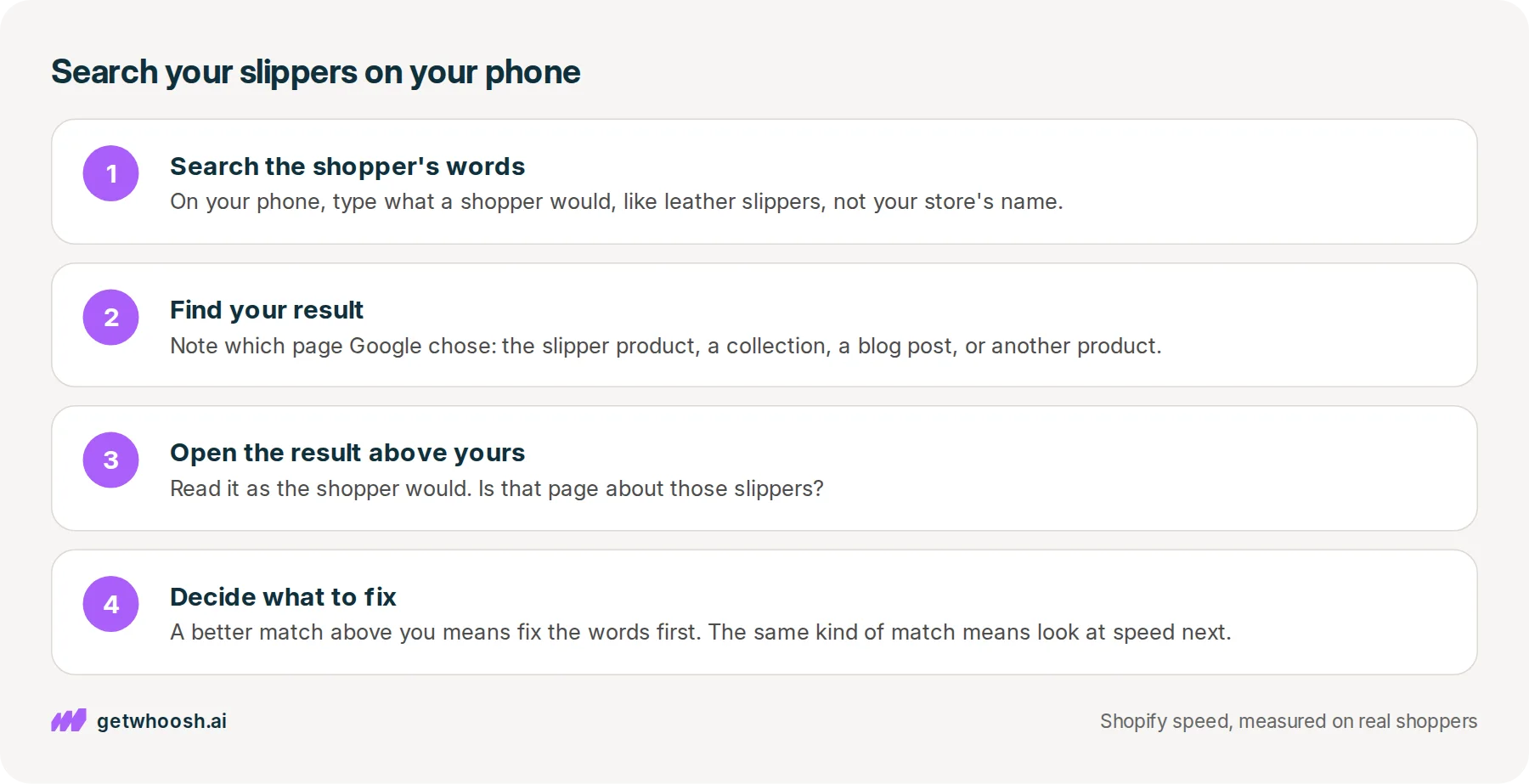
If the page above yours is about those slippers and yours is a collection, a blog post, or a different product, fix which page matches the words before you touch speed. Make the slipper product page say what the shopper typed, in its title and in the first lines under the photo, so Google has a page that answers the search.
You can stop there. On that search, speed is not what is holding the slippers back, and the fix lives in the words on the slipper page.
Speed is the next look only when the page above you is the same kind of match, a slipper product page against your slipper product page. Then open yours on your phone again and watch what reaches the screen before the slipper photo does.
If a reviews widget, a chat bubble, or an email popup shows up first, that is the wait to look into. The number to read is the real shoppers’ wait for the photo rather than a test grade, and which speed number to trust shows where Shopify keeps it.
If the thing arriving first is an app nobody uses any more, turn it off, and why a Shopify store gets slow shows where those switches live in your theme.
If you want to keep the reviews, the chat, and the popup, Smart App Loading puts those apps in a queue behind the slipper photo, so they do not race it, and they still load once the photo is up. Smart App Loading is US$99 a month on the Shopify App Store, with a 7-day free trial.
Whoosh does not choose which page Google shows, and it does not write the words on the slipper page. Those are yours, which is why the search on your phone comes before anything else.
So the order is the words first, then the wait. Next time someone says a faster store will lift your slippers up the column, search leather slippers on your phone and let the page above yours tell you which one to work on.
Questions merchants ask
Will a faster theme move my slippers up in Google?
Not on its own. Google weighs how a page feels for shoppers, but it shows the page that best matches the search first, even when that page is slow. A faster theme can make a difference when your slipper page and the ones around it already match the search equally well.
My speed report looks good. Why is a slower store above me?
Because the report grades the wait, and Google ranks the match first. Google's page experience guide says good results in speed reports do not guarantee a top spot. Open the page above yours and check whether it answers the search better than your page does.
Is it bad if Google shows my slippers collection instead of the product?
Not always. For a broad search like slippers, a collection can be the right page. It becomes a problem when the shopper typed something specific, like cognac leather slippers, and the store above you shows that exact product while you show a list.
Does Google rank my store differently on a phone?
It can. Google says the device, along with location and language, can change which results it shows. If your shoppers search on their phones, search there yourself and read the column they see, not the one on your laptop.
Sources (3, checked 18 Oct 2026)
- 1 Google Search Central: Understanding page experience in Google Search results (developers.google.com, checked 18 Oct 2026)
- 2 Google Search Central: In-depth guide to how Google Search works (developers.google.com, checked 18 Oct 2026)
- 3 Whoosh on the Shopify App Store (apps.shopify.com, checked 18 Oct 2026)
What Google weighs comes from Google's page experience guide and its page on how Search works, both checked on 18 Oct 2026. The cognac leather slippers are an example, not a real store.
How posts are chosen, sourced, checked and corrected: our editorial policy.
Written by Edward Cameron Founder, Whoosh, Sydney, Australia
Edward Cameron is the founder of Whoosh, the Shopify speed app made in Sydney and on the Shopify App Store since August 2025. He writes here about what slows a Shopify product page and how to check it on your own store.
Keep reading
All posts
Apps & scripts 7 min read
Why is Shopify mobile page speed slower than your laptop?
Your camel suede loafers load fine on the laptop in the back office, and a shopper in a waiting room waits for them on their phone. The phone gets the same page with less to work with. Here is how to tell whether it has a problem of its own, and what to check first.

Apps & scripts 7 min read
Why your Shopify speed score and your real shoppers disagree
You paste your tote page into PageSpeed and get a red circle. That circle grades one pretend visit. Your real shoppers' wait for the tote photo is a different number, in the same report and in your Shopify admin, and it is the one to trust.

Apps & scripts 6 min read
Does Klaviyo slow down your Shopify store?
You added Klaviyo so you can reach shoppers after they leave. That needs a small program on the product page, and it only slows the store when it starts before the product photo.
