 Start Free Trial
 Why is my Shopify store slow?
Shopify already runs fast servers and shrinks your photos. What a shopper often sees first is a chat bubble or popup you switched on in the theme, and the switch to check is in one list in the theme editor.

Edward Cameron · Founder, Whoosh
7 min read

In short
Your Shopify store is rarely slow because of Shopify. It already runs fast servers, keeps copies of your store near shoppers, and shrinks your photos. A common hold-up is an app you switched on in your theme, like a chat bubble in the corner or a popup, which reaches the shopper's phone before the product photo. Shopify calls those switches app embeds. Turn off the one nobody uses, save, and open the product on your phone.
- Shopify already runs fast servers, keeps copies of your store near shoppers, and shrinks your photos, so you do not need to buy any of that.
- A chat bubble, a popup, or a tracking app you cannot see is switched on in your theme, and its program can reach the phone before the product photo.
- Those switches live in the theme editor under App embeds. Turning one off takes it off the store without uninstalling the app.
- Turn off the one nobody uses, click Save, and open the live product on your phone. If the photo is first, you are done.
A shopper opens your denim jacket on their phone
Why is my Shopify store slow? Shopify itself is rarely the slow part. More often it is something you switched on in your theme, like a chat bubble that floats in the corner or a bit of an app’s code the shopper never sees, and on a phone it can reach the screen before your product photo does. Shopify keeps all of those switches in one list in the theme editor, and calls each one an app embed.
Let’s stay with one product the whole way through. Someone on their lunch break taps your ad for the denim jacket, the washed one with the copper buttons. They want to see the jacket: the colour of the wash, the stitching, how it sits on the shoulders.
Before the photo appears, a chat bubble slides into the corner, or a popup asks for their email, and for a moment that is all they have to look at. The jacket photo should be first, because it is the reason they tapped. The chat and the popup can turn up a moment later and still do their jobs.
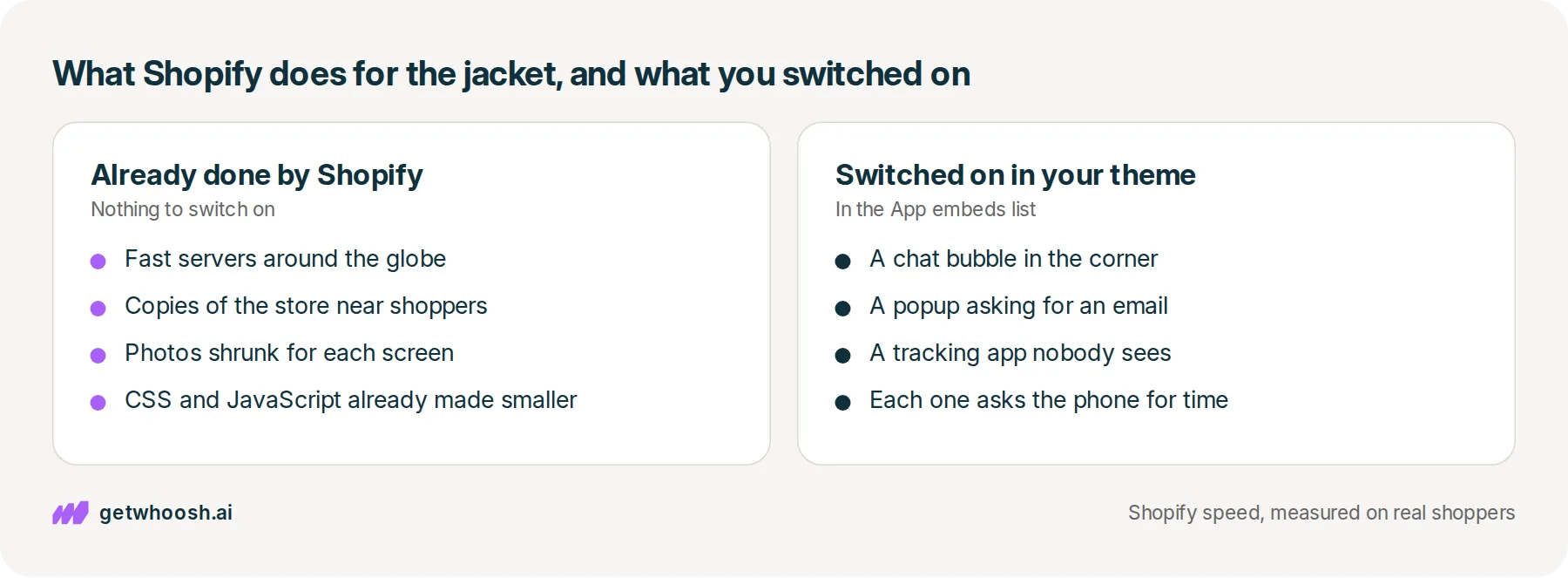
So what is Shopify already doing for that jacket? Quite a lot. Shopify’s guide to site speed says your store already runs on fast servers around the globe, sends copies of the store from computers near the shopper, which is what people call a CDN, and shrinks the jacket photo for each screen on its own. You do not need to buy any of that.
The same guide names the biggest things that slow a store down: your theme, the apps you have installed, and any extra code someone pasted in, including a tag manager, which is a box that loads other companies’ tracking tags. This post stays with the apps, because the ones that float over the jacket are switched on in one list you can open today.
What an app embed is, and how its switch works
When you installed the chat app, it did not drop a box onto the jacket page, the way a size chart app does. It added a switch to your theme. Shopify’s notes on theme apps put every one of those switches in the same panel in the theme editor, called App embeds, where you turn each one on or off and open its settings.
Each switch has two positions. When it is on, the app’s program travels with the page to the shopper’s phone. When it is off, the program stays behind, and the app itself stays installed in your admin, ready to switch back on.
So why would a little bubble in the corner hold up a whole jacket? The phone has one lane for drawing the page and running programs. Shopify’s notes on theme performance say the program from every installed app competes in that lane with the page it is trying to draw.
When the chat’s program gets in first, the jacket waits behind it, even though the bubble is small and the photo fills the screen. The shopper sees the corner of the page doing something while the middle of it, the part they came for, is still empty.
The switches you cannot see work the same way. A tracking app that went in as an embed draws nothing at all, so it is easy to forget it is there, and it still asks the phone for time while the jacket is loading.
Check your store's real numbers
The free Whoosh audit measures your store on real shopper data, names the scripts in the way, and estimates what the delay is costing. No install, about a minute.
Free. No install. Results in about a minute.
Why the forgotten switch is the one to turn off
It is easy to end up with a switch that made sense once. You tried a chat app for a sale weekend, then moved questions back to email. You ran a spin-to-win popup over the holidays. The app is still installed, the switch is still on, and every shopper who opens the jacket still gets its program.
Shopify’s guide to site speed says to take off the apps that are not essential, because too many of them load extra files on every page. Ask that of every switch on the list. Is anyone still using this chat, and did that popup sign anyone up since the holidays?
The chat is there for the shopper with a question. The jacket photo is there for every shopper who taps the link. When nobody is asking the chat anything, the switch is making every visitor wait for a job it no longer does.
I know what you’re thinking. You still want the chat, and you are not about to uninstall it. You do not have to. Turning a switch off is not uninstalling, and if you answer that chat every day, leave it on, because this decision is only for the switches nobody is using.
That leaves two kinds of switch. The forgotten one you can turn off today, which costs you nothing and gives the jacket the screen back. The one you want to keep is still in front of the photo when you are done, and that one needs a different fix.
Turn off the switch, then open the jacket on your phone
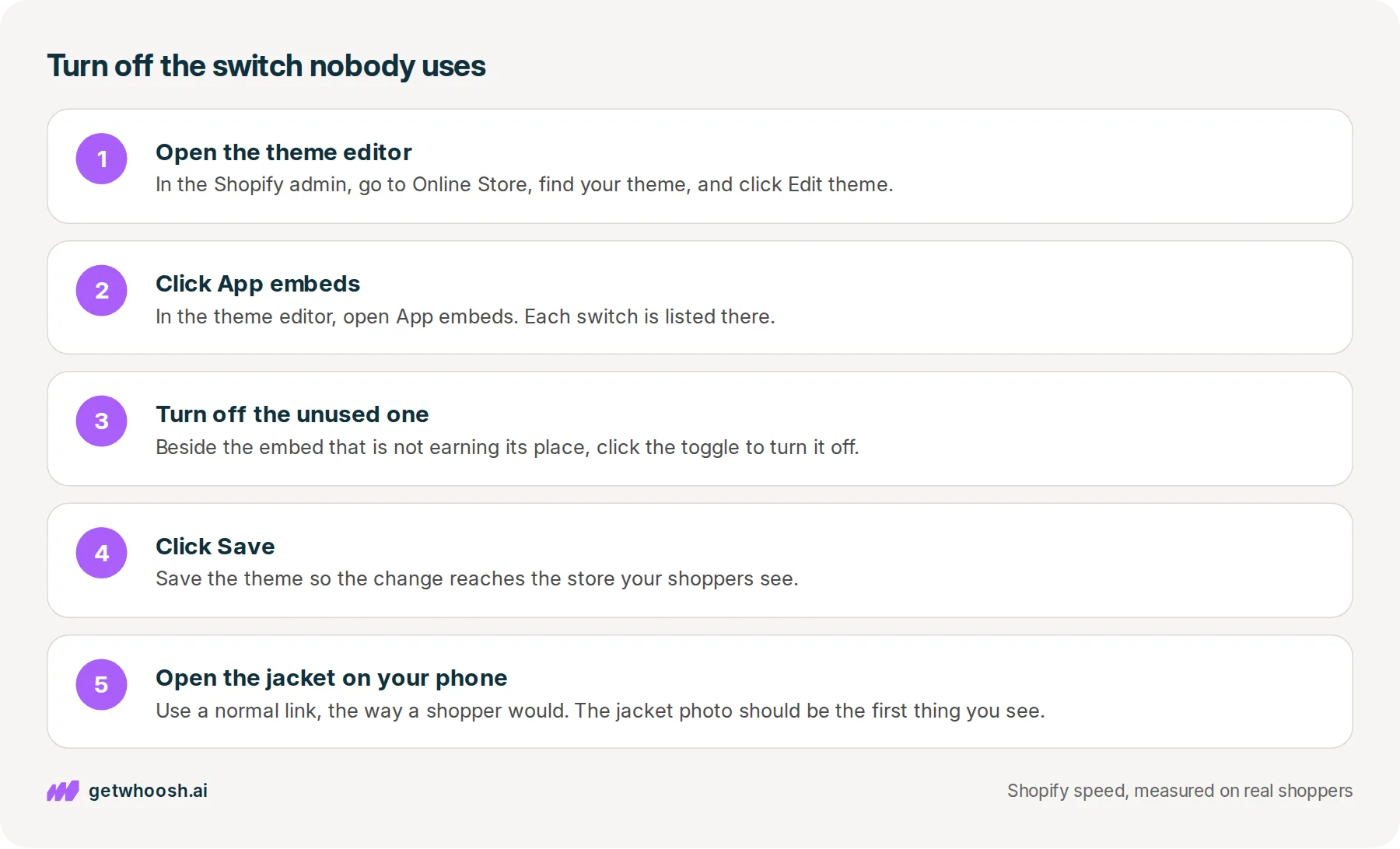
Here is the check, in the order you click. It takes a couple of minutes on a laptop. Shopify’s notes on theme apps put the switches in the theme editor’s App embeds section, where you turn each one on or off.
-
From your Shopify admin, go to Online Store, then Themes.
-
Find the theme your store is using, and then click Edit theme.
-
Open App embeds. Each switch is listed there, and you can open its settings.
-
Beside the embed that is not earning its place, turn it off.
-
Click Save, so the change reaches the store your shoppers see.
-
Open the live denim jacket on your phone, from a normal link the way a shopper would, rather than from the preview in the editor.
Watch the first few seconds on the phone. If the jacket photo is the first thing you see, and the chat or the popup turns up after it, you can stop here.
And the chat you kept? If it is still in front of the jacket, that is the job Whoosh takes on. Smart App Loading puts the programs from your other apps in order behind the product photo, so the chat, the popup, and the reviews still load, just after the jacket is on screen. It works with 20+ known apps, shows you which ones it found on your store, and does not uninstall any of them or copy your theme.
Smart App Loading is US$99 a month on the Shopify App Store, with a 7-day free trial and no code to write. Once it is on, open the jacket on your phone again, then tap the chat bubble and send yourself a message, so you know it still opens.
If the switches are sorted and the jacket photo itself is still slow, or the page stays white before any layout appears, that is a different wait, either which copy of the photo the theme asks for or the design loading before anything else, so check that one and then come back to this list.
Every app you install from now on can add a new switch to App embeds. Open the list again the day you add one, and leave on only the switches somebody uses.
Questions merchants ask
Does turning off an app embed uninstall the app?
No. Turning the switch off leaves the app installed, and you can turn it back on from the same App embeds panel. Uninstalling is a separate step. The blocks an app added through that panel come out when you uninstall it. Code an app pasted into the theme can stay, and then you ask that app's developer.
I uninstalled the chat and the bubble is still on the jacket. What now?
That is leftover code, not a switch you missed. Uninstalling does not always pull code out of the theme, and you may need the app's developer to remove it. Do not edit the theme yourself to chase it.
I still answer the chat every day. Do I turn it off?
No. Leave that switch on. This check is for the ones nobody uses. If the chat you kept still shows up before the jacket photo, let its program run after the photo is on screen, then send yourself a message so you know the chat still opens.
The jacket photo is still late after I turn the unused switches off. What next?
That is a different wait. Either the theme is asking for a heavy copy of the photo, or the page stays white before any layout appears. Sort that one, then come back to this list the next time you install an app.
How do I tell which switch belongs to which app?
They sit together in the App embeds panel in the theme editor, and you can open each one's settings. If a name is still unfamiliar, look it up in your installed apps before you turn it off.
Sources (4, checked 14 Oct 2026)
- 1 Shopify on site speed (shopify.com, checked 14 Oct 2026)
- 2 Shopify on theme app extensions (shopify.dev, checked 14 Oct 2026)
- 3 Shopify developer docs on theme performance (shopify.dev, checked 14 Oct 2026)
- 4 Whoosh on the Shopify App Store (apps.shopify.com, checked 14 Oct 2026)
What Shopify already does, and the biggest causes it names, come from Shopify's site speed guide. The App embeds panel comes from Shopify's notes on theme apps. Both were checked on 14 Oct 2026. The denim jacket is an example, not a real store.
How posts are chosen, sourced, checked and corrected: our editorial policy.
Written by Edward Cameron Founder, Whoosh, Sydney, Australia
Edward Cameron is the founder of Whoosh, the Shopify speed app made in Sydney and on the Shopify App Store since August 2025. He writes here about what slows a Shopify product page and how to check it on your own store.
Keep reading
All posts
Apps & scripts 7 min read
Why is Shopify mobile page speed slower than your laptop?
Your camel suede loafers load fine on the laptop in the back office, and a shopper in a waiting room waits for them on their phone. The phone gets the same page with less to work with. Here is how to tell whether it has a problem of its own, and what to check first.

Apps & scripts 7 min read
Does page speed affect SEO on Shopify?
A shopper types leather slippers into Google on their phone. Google shows the page that matches those words best, even when it is slow, and speed only counts between pages that match equally well. Here is the phone check that tells you which one to fix first.

Apps & scripts 7 min read
Why your Shopify speed score and your real shoppers disagree
You paste your tote page into PageSpeed and get a red circle. That circle grades one pretend visit. Your real shoppers' wait for the tote photo is a different number, in the same report and in your Shopify admin, and it is the one to trust.
