 Start Free Trial
 Whoosh vs RoarTheme: is the free next-page app enough?
A shopper is looking at your navy beanie and about to tap the charcoal one beside it. RoarTheme's free app fetches that next page while they look. Whoosh does that too, makes the popup and chat wait for the navy photo, and tests it on your sales. One tap on your phone picks the row.

Edward Cameron · Founder, Whoosh
7 min read

In short
RoarTheme's free app, RT: Page Speed Booster, uses the phone's quiet moments to fetch the page a shopper will likely open next. Whoosh also readies a likely next page, makes popups and chat wait for the product photo, and tests the change on half your visits against sales. If the only wait was the second tap, the free app is the better buy. If a popup beats the photo, or you want the sales test, Whoosh is.
- RT: Page Speed Booster, RoarTheme's free app, uses the phone's idle moments to fetch the page a shopper is likely to tap next, like the charcoal beanie under the navy one.
- Whoosh also gets a likely next page ready, and it makes the popup, chat, and review stars wait until the navy beanie photo is on screen.
- Whoosh tests itself on half your visits against sales. RT's listing says it improves conversion and gives no number.
- If the only wait was the second tap, the free app is the better buy. If a popup or chat beat the photo, Whoosh is.
- Open the navy beanie in a private tab on your phone, read for a few seconds, and tap the charcoal one. Where you waited picks the row.
The shopper is on the navy beanie, and the charcoal one is next
You sell knitted beanies, and the navy one is the hat most people find first. A shopper opens it on their phone, looks at the photo, scrolls past the description, and spots the charcoal beanie in the row of other hats underneath. They tap it, and that second page is the wait RoarTheme’s free app is built for.
RoarTheme also sells Shopify themes, but this post is about its free speed app, RT: Page Speed Booster, not a theme. Whoosh gets a likely next page ready too, and it also works on the navy page itself, before anyone taps. We make Whoosh, so read the table with that in mind.
So which one does your store need? It comes down to where the shopper waited: when the navy beanie first opened, or after they tapped the charcoal one.
What each app does before the charcoal tap
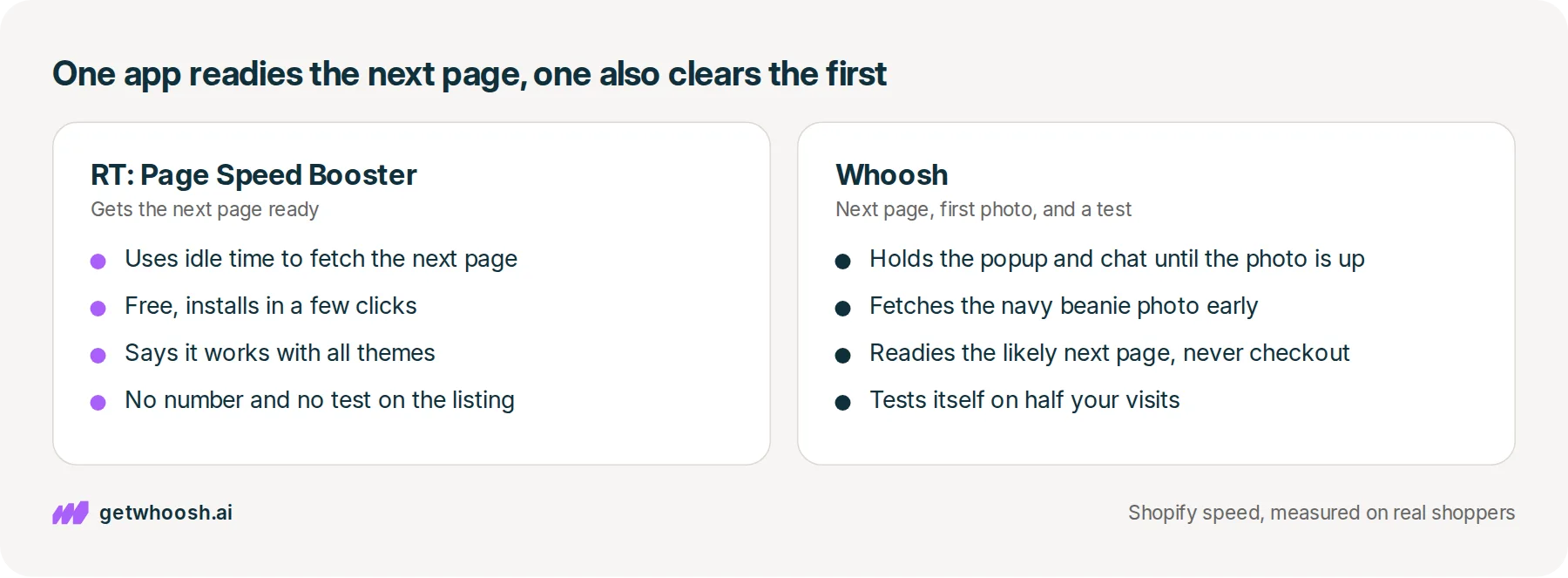
Let’s start with RT, because its whole job is that tap. While the shopper is reading about the navy beanie, their phone has quiet moments where it’s mostly waiting for them. RT’s App Store listing says the app tells the browser to use that idle time to fetch, or get ready to fetch, the page they’re likely to open next.
So when they tap the charcoal beanie, some of that page is already on the phone, and it opens sooner. People call that prefetching. Mozilla’s note on this fetch says browsers treat it as less urgent than the page already on screen, because the current page is more important than the next one, so the charcoal request should not shove the navy beanie aside. The listing is about that next page, so it is not a promise that the navy photo shows up any sooner.
The same listing keeps the rest short. It’s free, it says setup takes a few clicks, and it says it works with all themes, including customised ones.
It says the app makes pages feel instant and improves your conversion rate, and it gives no number for either. It doesn’t say how it picks which link to fetch, or whether it changes your theme.
The App Store files RT under SEO, but the description is about the next page on your store, not the line under your link in Google, so don’t expect it to write anything for search.
Now Whoosh. When the navy beanie page opens, your email popup, chat bubble, and review stars start loading too, and each one is a small program from another company.
Whoosh holds those programs back until the navy beanie photo is on screen, and it fetches that photo early, because it knows from real shoppers which photo is the big one on the page. You keep every app.
Whoosh also guesses the page a shopper is likely to open next and gets it ready before they tap. It never does that for the cart, checkout, or account pages. There’s no code to write, and it doesn’t copy your theme.
So how would you know any of it worked? Whoosh splits your visitors 50/50, half with it on and half with it off, and compares what each half bought.
| What you get | Whoosh | RT: Page Speed Booster |
|---|---|---|
| The tap on the charcoal beanie | Guesses the likely next page and gets it ready; never cart, checkout, or account | Uses idle time to fetch, or get ready to fetch, the next page |
| The navy beanie photo | Fetches the big photo early, picked from what real shoppers see | Not on the listing, which describes the next page |
| Popup, chat, and review stars | Holds them until the photo is on screen; you keep every app | Not on the listing |
| Your theme | No code; does not copy the theme | Says it works with all themes, including customised ones |
| How you see it worked | 50/50 test on your own store, compared on sales | Says it improves conversion; gives no number and describes no test |
| Price | Smart App Loading US$99/mo holds apps; AI Page Preloading US$99/mo readies the next page; Whoosh Max US$149/mo is both; 7-day free trial; App Store listing | Free; no paid plan on the App Store listing |
| Where it is stronger | A popup or chat beats the navy photo, or you want the change measured in sales | The only wait was the charcoal tap, and you want it fixed for free |
Check your store's real numbers
The free Whoosh audit measures your store on real shopper data, names the scripts in the way, and estimates what the delay is costing. No install, about a minute.
Free. No install. Results in about a minute.
Why the free app is the better buy for the second tap
Here’s the plain version, and it isn’t in our favour. If the navy beanie opened fine and the only wait you felt was after tapping charcoal, RT is aimed at that exact wait, and it costs nothing. Whoosh’s next-page job sits on a paid plan in the table, so for that one wait, the free app is the better buy.
But here’s the catch. Getting the charcoal page ready doesn’t change what happens when the navy page first opens. If a signup popup covers the navy beanie before its photo arrives, or the chat bubble pops up while the photo is still blank, RT’s listing doesn’t describe doing anything about it.
That’s the part Whoosh takes on. The popup still asks for an email and the chat still answers, and they just wait for the navy beanie. The 50/50 test then tells you whether that changed what people bought, which is a different question from whether a page feels faster.
I know what you’re thinking. Why not keep the free app and add Whoosh on top? You can. RT’s listing doesn’t describe holding the popup or the chat, so that job is still open. What we have not tested is both apps fetching the charcoal page at once. If the Whoosh plan in the table is the one that gets the next page ready, turn RT off first. Then tap the popup, the chat, and the charcoal beanie on your phone.
Tap the charcoal beanie on your phone, in a private tab
This check needs one phone and two product pages. Open the navy beanie’s live product page in a private tab, using the link a shopper would tap, not the theme editor, which can hide your apps and won’t behave like the store.
Watch the first moments. Does the navy beanie photo arrive first, or does a popup, a chat bubble, or a row of review stars get there before it? If it’s too quick to call, record your screen and play it back slowly.
Then stay on the navy beanie for a few seconds, the way a shopper reads the description. RT’s listing says it works in idle time, so a tap the instant the page opens may not give it any. Scroll to the charcoal beanie and tap it. Does it open straight away, or is there a blank moment first?
Make sure charcoal is its own product with its own page, like a hat in that row underneath. If it’s a colour button on the navy page, you aren’t opening a new page, and neither app’s next-page fetch is what you’re testing.
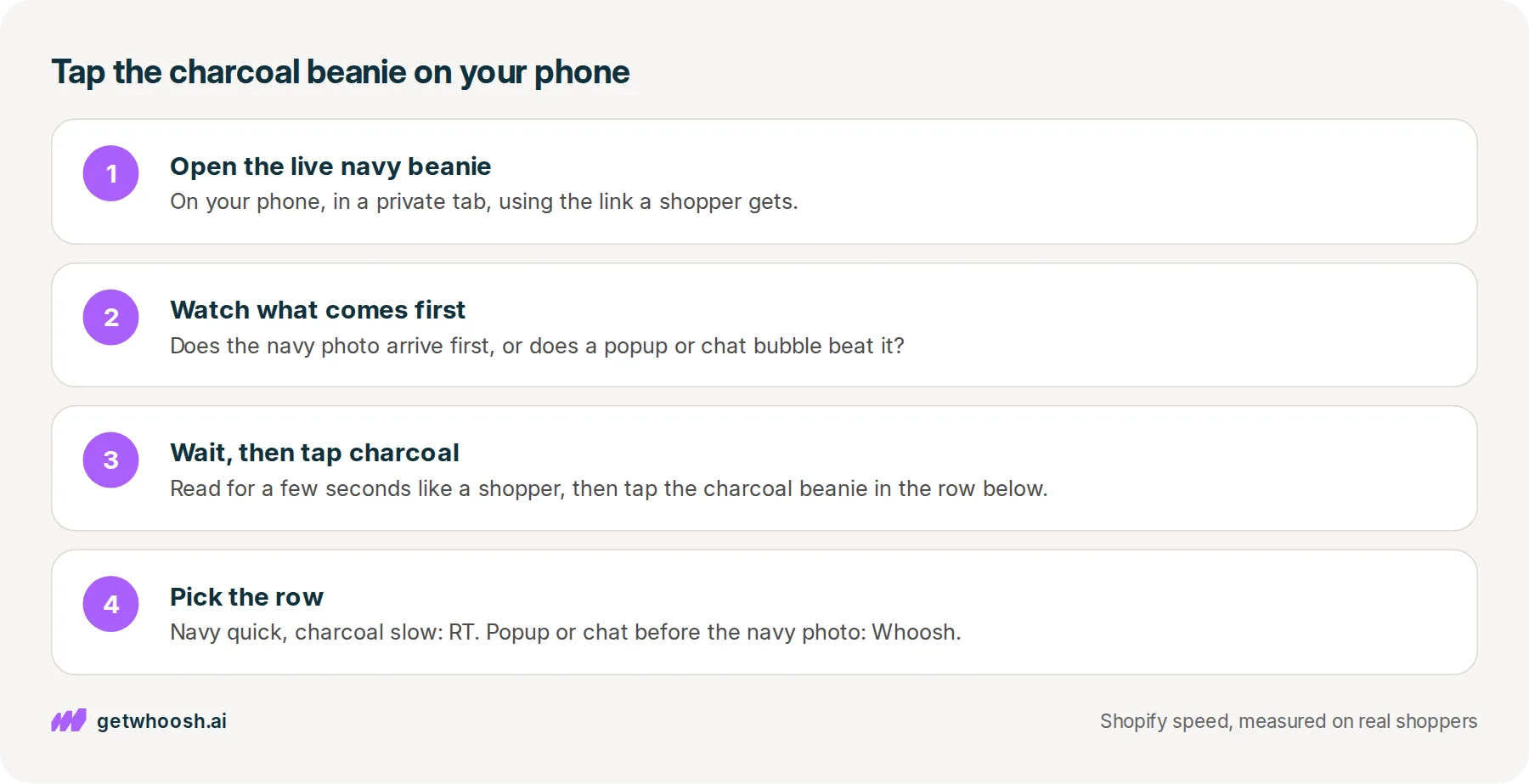
Now read what you saw. If the navy page was quick and the charcoal tap dragged, install RT, since it’s free, and tap again. If a popup or chat beat the navy beanie photo, that’s Whoosh’s job, and the plans are in the table above.
If the wait was a white screen before anything on the navy page appeared, and nothing beat the photo, neither app is aimed at it. The speed app comparison matches that wait to the apps that clear it.
Whichever you install, let it run on real shoppers for a while, then pick up the same phone and open the navy beanie in a fresh private tab.
Tap the popup and the chat on the way past so you know they still open, read for a moment, and tap the charcoal beanie. If it opens straight away and the popup still asks for an email, you picked the right row.
Questions merchants ask
Is RT: Page Speed Booster an SEO app?
The App Store lists it under SEO, but its description is about the page a shopper opens next on your store. It does not describe writing the text under your Google link, your product descriptions, or your alt text, so treat it as a next-page app.
Will the free app make the navy beanie page open faster the first time?
Its listing describes fetching the next page during idle time, not the page a shopper lands on first. If the navy page is the wait, look at what arrives before the beanie photo.
Can I run RT: Page Speed Booster and Whoosh together?
Yes. RT's listing does not describe holding your popup or chat, so Whoosh can still do that job. If the Whoosh plan you pick also gets the next page ready, turn RT off first, because we have not tested both apps fetching the same page. Afterwards, tap the popup, the chat, Add to cart, and the charcoal beanie on your phone.
Does RoarTheme's free app change my theme?
Its listing does not say. It says it works with all themes, including customised ones, which tells you it runs on them, not what it changes. Ask RoarTheme before you install if that matters to you. Whoosh does not copy your theme and needs no code.
Sources (3, checked 13 Oct 2026)
- 1 RT: Page Speed Booster on the Shopify App Store (apps.shopify.com, checked 13 Oct 2026)
- 2 Whoosh on the Shopify App Store (apps.shopify.com, checked 13 Oct 2026)
- 3 MDN: Link types: prefetch (developer.mozilla.org, checked 13 Oct 2026)
We make Whoosh, so our app is one side of this comparison. RT: Page Speed Booster's details come from its Shopify App Store listing and Whoosh's from ours, both checked on 13 Oct 2026, and the navy beanie is an example, not a real store.
How posts are chosen, sourced, checked and corrected: our editorial policy.
Written by Edward Cameron Founder, Whoosh, Sydney, Australia
Edward Cameron is the founder of Whoosh, the Shopify speed app made in Sydney and on the Shopify App Store since August 2025. He writes here about what slows a Shopify product page and how to check it on your own store.
Next moves
Turn this into sales
Three moves, five minutes. Each one ticks itself off.
0 of 3 done
-
Measure the lift on your own store
7-day free trial on the Shopify App Store. No code, no theme edits, and a control group so the numbers are yours.
Keep reading
All posts
Core Web Vitals 7 min read
Whoosh vs Superspeed: do you want a dollar report or a sales test?
Someone adds your raw honey to the cart, opens checkout, and leaves. Superspeed tells you what that cost in dollars. Whoosh makes your other apps wait for the honey photo and tests the change on your own sales. One walk to checkout on your phone tells you which row is yours.

Core Web Vitals 7 min read
Whoosh vs Plug in Speed: what does each app speed up?
Your canvas tote's page feels slow on your phone. Plug in Speed makes the stored photo file smaller, and on two plans it trims the theme's code. Whoosh makes the popup, chat, and reviews wait for the photo. One look at the tote page, and one in the app, tells you which you need.

Core Web Vitals 7 min read
Whoosh vs Avada SEO: which one does your product page need?
You searched for a speed app and found Avada, an SEO app with a speed booster on its plans. It works on what Google shows before the tap. Whoosh works on what the shopper sees after it. Two checks on one mug tell you which one you were shopping for.
