 Start Free Trial
 Whoosh vs Avada SEO: which one does your product page need?
You searched for a speed app and found Avada, an SEO app with a speed booster on its plans. It works on what Google shows before the tap. Whoosh works on what the shopper sees after it. Two checks on one mug tell you which one you were shopping for.

Edward Cameron · Founder, Whoosh
7 min read

In short
Avada AI SEO Image Optimizer is an SEO app. It writes the sentence Google shows under your product's link, fills in the photo's alt text, builds a sitemap and structured data, and its speed booster lazy loads, minifies, and compresses. Whoosh writes none of that. It makes the popup, chat, and reviews wait until the product photo is on screen, then tests the change on half your visits. Check your listing and your live page to pick.
- Avada is an SEO app. It works on what Google shows about your mug before anyone taps the link.
- Its speed booster is lazy loading, minification, and image compression. None of those changes the order your other apps run in.
- Avada is the better buy when the sentence under the link or the photo's alt text is empty, and you can start on its free plan.
- Whoosh is the buy when a popup, chat, or reviews box beats the mug photo, and you want a 50/50 test on your own sales.
- Read the mug's Search engine listing, then watch its live page on your phone. Whichever one let you down picks the app.
You went looking for a speed app and found Avada
You sell a speckled ceramic mug, it’s your best seller, and its product page feels slow on your phone. So you searched the Shopify App Store for a speed app, and near the top was Avada AI SEO Image Optimizer, from the developer Avada SEO Suite. Its plans list a speed booster, so it looks like the answer.
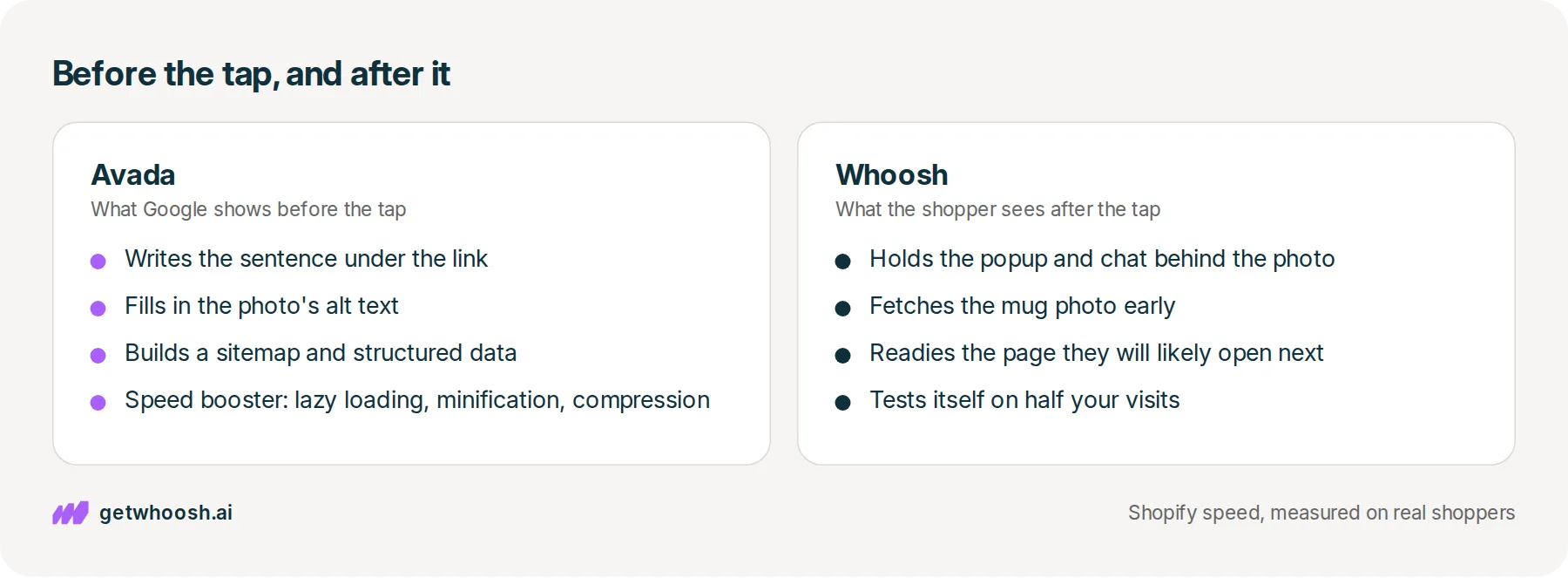
It’s an SEO app first, though, which means its job is getting the mug found in Google, and most of what it does happens before anyone taps your link. Whoosh works on what the shopper sees after the tap. We make Whoosh, so keep that in mind when you read the table.
Here’s the easiest way to hold the two apart. Someone searches for a speckled mug on their phone and reads the sentence under your blue link. They tap, the mug page opens, and either the mug photo shows up first or your email popup does. Avada works on the first moment, and Whoosh works on the second.
What each app does to the mug
Let’s start with Avada, because it does a lot, and nearly all of it is about what Google reads.
The sentence under your blue link is something you can write for each product. It lives in the product’s Search engine listing section in the admin, and if you leave it blank, Shopify’s guide says Google can build one from what’s on the page, with the product description standing in. People call that sentence a meta description, and Avada’s meta tags feature is there to fill it in.
Next is the photo’s alt text, a short written description of the mug photo. Screen readers say it aloud to people who can’t see the picture, and Google’s image guide says it uses alt text, along with the rest of the page, to work out what a photo shows. Avada’s alt text optimizer writes it for your photos.
Avada also builds a sitemap, which is a list of your store’s pages for Google, and adds structured data, which is labels in the page that tell Google things like the mug’s price in a format it reads directly. Avada’s App Store listing puts meta tags, the alt text optimizer, an HTML sitemap, basic structured data, the basic speed booster, and 100 image optimizations on the free plan.
So what is the speed booster? The listing describes it as lazy loading and minification, plus image compression, with the Basic booster on the free plan, Turbo on Pro, and Rocket on Enterprise.
Lazy loading means photos further down the page wait until the shopper scrolls near them. Minification means squeezing the spaces and notes out of the code files so they’re smaller to download, and image compression makes the stored mug photo a smaller file.
Now Whoosh, which writes nothing for Google. When the mug page opens, your other apps start loading too: the email popup, the chat bubble, the review stars, each one a small program from another company. Whoosh holds those programs back until the mug photo is on screen, and it fetches that photo early, knowing which one it is from what real shoppers saw on the page.
It also gets the page they’re most likely to open next ready before they tap, and it never does that for the cart, checkout, or account pages. To show whether any of it helped, Whoosh splits your visitors 50/50, half with it on and half without, and compares sales. It doesn’t copy your theme, and there’s no code to write.
| What you get | Whoosh | Avada AI SEO Image Optimizer |
|---|---|---|
| What it works on | The mug page after the tap: which app reaches the shopper first | What Google reads before the tap: the sentence, alt text, sitemap, structured data |
| Its speed part | Holds the popup, chat, and reviews behind the photo; fetches that photo early; readies the likely next page | Lazy loading, minification, and image compression; Basic, Turbo, or Rocket by plan |
| The sentence under the link and alt text | Does not write either | Meta tags and an alt text optimizer on every plan |
| Your theme | No code; does not copy the theme; never readies cart, checkout, or account | The listing’s audit applies fixes and says it can improve the theme |
| How you see it worked | 50/50 test on your own store, compared on sales | Onpage audits that score each page |
| Price | Smart App Loading US$99/mo, AI Page Preloading US$99/mo, Whoosh Max US$149/mo; 7-day free trial; App Store listing | Free plan; Pro US$34.95/mo or US$348/yr; Enterprise US$99/mo or US$990/yr; 7-day free trial on paid plans; App Store listing |
| The better buy when | A popup, chat, or reviews box beats the mug photo, and you want a test on sales | The sentence or the alt text is empty, or you want a sitemap and structured data, starting free |
Check your store's real numbers
The free Whoosh audit measures your store on real shopper data, names the scripts in the way, and estimates what the delay is costing. No install, about a minute.
Free. No install. Results in about a minute.
Why the speed booster leaves the popup where it was
If you were hoping one app would do both jobs, this is the awkward part. Avada’s speed booster and Whoosh are not the same job under two names. Avada makes files smaller, and photos lower down the page later. Whoosh decides what goes first.
I know what you’re thinking. You’ve already installed Avada and switched the booster on, so isn’t the page sorted? Lazy loading, minification, and image compression are the three things the listing names, and none of them is about the order your other apps run in. If the email popup’s program ran before the mug photo yesterday, a smaller file doesn’t move it behind the photo today.
That cuts the other way too. If the sentence under your mug’s link is empty, or the mug photo’s alt text is blank, Whoosh won’t fill either one in, and Avada is the better buy. The same goes for a sitemap and structured data. You can start on Avada’s free plan, and Whoosh doesn’t have one.
Whoosh is the buy when the listing is fine and the page is the problem. A popup, a chat bubble, or a reviews box shows up before the mug does, and you want to see in your own sales whether fixing that mattered. TileCloud ran that 50/50 test and published a 15% conversion lift, which is one store’s result and not a forecast for your mug.
Can the two share a store? Yes, because they’re doing different jobs. Avada writes the words and squeezes the photos, while Whoosh changes when your other apps run. Whichever you install, open the mug page on your phone afterwards and tap the popup, the chat, and Add to cart, so you know each one still works.
Check the mug’s listing, then the mug’s page
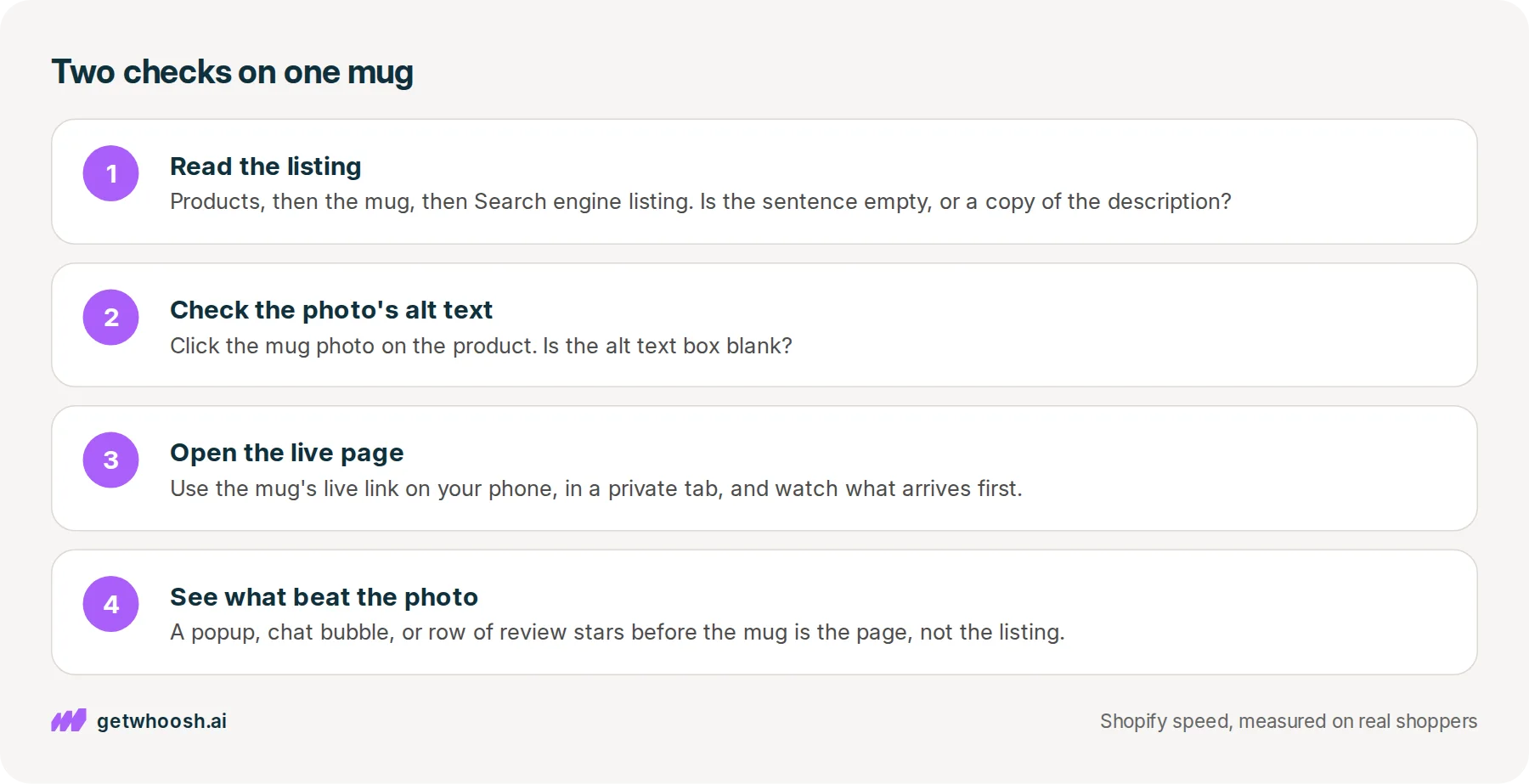
Two checks, one product. Do the listing first, because it only takes a minute.
In your Shopify admin, open Products and click the mug, then scroll to Search engine listing and read the sentence there. If it’s empty, or it’s just the first words of your product description, that’s the gap Avada fills. It’s also a sentence you can write yourself, and the meta description example shows the shape: what the thing is first, then why to buy it from you.
While you’re on the product, click the mug photo and look at its alt text box. A blank box there is the other half of Avada’s job, and you can type a plain description in yourself just as easily.
Now the page. Open the mug’s live link on your phone, the same one a shopper gets from Google, in a private tab so nothing is remembered from last time. Watch the first moments closely. Does the mug photo arrive first, or does a signup popup, a chat bubble, or a row of review stars beat it?
If you want it in writing, do the same on a laptop in Chrome. Right-click the page and choose Inspect, which opens a panel of tools beside it, then click Network, tick Disable cache, and reload. Find the mug photo in that list, and look for a file from the popup or chat company that finished ahead of it.
If that popup is Klaviyo’s email signup, the Klaviyo walkthrough follows that one file from start to finish.
Now you know which screen let the mug down. An empty sentence or a blank alt text box is Avada’s job, and its free plan is a fair place to start. A popup or chat beating the mug photo is ours. If both turned up, fix the listing first, since writing a sentence costs nothing, then test the page.
Last of all, search for the mug on your phone the way a stranger would. Read your own sentence under the link, tap it, and check that the speckled mug you just read about is the first thing on the screen.
Questions merchants ask
Is Avada's free plan enough to fix the sentence under my link?
It can be. Avada's listing puts meta tags and an image alt text optimizer on the free plan, so it can fill in both. You can also type the sentence yourself in the product's Search engine listing section, one product at a time, starting with your best sellers.
Will Whoosh help my mug show up higher in Google?
That isn't the job it does. Whoosh works on what the shopper sees once they land on the page. It doesn't write the sentence under your link, the alt text, a sitemap, or structured data. If the mug isn't showing up in search at all, start with the listing.
What do Avada's Turbo and Rocket boosters add over Basic?
The listing puts Turbo on Pro and Rocket on Enterprise, and describes the speed part as lazy loading, minification, and image compression. It doesn't spell out what each level changes. Ask Avada which one touches your other apps' programs, then run the phone check on the mug page after you switch it on.
Do I have to remove my popup or chat app for either one?
No. Avada doesn't ask you to, and Whoosh only changes when those apps run, not whether they run. The popup still asks for an email and the chat still opens, a moment after the mug photo. Try both on your phone after you install.
Sources (4, checked 10 Oct 2026)
- 1 Avada AI SEO Image Optimizer on the Shopify App Store (apps.shopify.com, checked 10 Oct 2026)
- 2 Whoosh on the Shopify App Store (apps.shopify.com, checked 10 Oct 2026)
- 3 Shopify on how to write meta descriptions (shopify.com, checked 10 Oct 2026)
- 4 Google Search Central image SEO best practices (developers.google.com, checked 10 Oct 2026)
We make Whoosh, so this comparison has our app in it. Avada's plans and features come from its Shopify App Store listing and Whoosh's from ours, both checked on 10 Oct 2026, with no unpublished store data.
How posts are chosen, sourced, checked and corrected: our editorial policy.
Written by Edward Cameron Founder, Whoosh, Sydney, Australia
Edward Cameron is the founder of Whoosh, the Shopify speed app made in Sydney and on the Shopify App Store since August 2025. He writes here about what slows a Shopify product page and how to check it on your own store.
Next moves
Turn this into sales
Three moves, five minutes. Each one ticks itself off.
0 of 3 done
-
Measure the lift on your own store
7-day free trial on the Shopify App Store. No code, no theme edits, and a control group so the numbers are yours.
Keep reading
All posts
Core Web Vitals 7 min read
Whoosh vs Plug in Speed: what does each app speed up?
Your canvas tote's page feels slow on your phone. Plug in Speed makes the stored photo file smaller, and on two plans it trims the theme's code. Whoosh makes the popup, chat, and reviews wait for the photo. One look at the tote page, and one in the app, tells you which you need.

Core Web Vitals 7 min read
Whoosh vs RoarTheme: is the free next-page app enough?
A shopper is looking at your navy beanie and about to tap the charcoal one beside it. RoarTheme's free app fetches that next page while they look. Whoosh does that too, makes the popup and chat wait for the navy photo, and tests it on your sales. One tap on your phone picks the row.

Core Web Vitals 7 min read
Whoosh vs Superspeed: do you want a dollar report or a sales test?
Someone adds your raw honey to the cart, opens checkout, and leaves. Superspeed tells you what that cost in dollars. Whoosh makes your other apps wait for the honey photo and tests the change on your own sales. One walk to checkout on your phone tells you which row is yours.
