 Start Free Trial
 Why is Shopify mobile page speed slower than your laptop?
Your camel suede loafers load fine on the laptop in the back office, and a shopper in a waiting room waits for them on their phone. The phone gets the same page with less to work with. Here is how to tell whether it has a problem of its own, and what to check first.

Edward Cameron · Founder, Whoosh
7 min read

In short
Your Shopify store is slower on a phone because the phone has less to work with than your laptop. Its processor is weaker, it has less memory, and mobile data adds a delay to every file it fetches. The store sends both the same page, so the phone does the same work more slowly, and it can download pictures it never shows. Judge it on a phone, not the laptop.
- Your laptop and a shopper's phone get the same loafers page. The phone has a weaker processor, less memory, and a slower connection, so the same work takes it longer.
- A banner your theme hides on phones can still be downloaded by the phone. Hiding it is not the same as leaving it out of the page.
- Shopify's Web Performance dashboard splits real visits by phone and computer. A large gap between the two means the phone has a problem of its own.
- Open the loafers on your phone with wifi off, compare the two in the dashboard, then check for a hidden banner before you look at app programs.
A shopper in a waiting room opens your camel suede loafers
You opened the camel suede loafers on your laptop this morning, in the back office, on the wifi. The photo of the loafers was there almost as soon as you clicked, the price sat under it, and the page felt fine.
Now picture a shopper sitting in a waiting room before an appointment, who opens the same loafers on their phone. The name and the price are there, and the space where the loafers photo goes is still waiting on the picture. Same page, same store, and a very different wait.
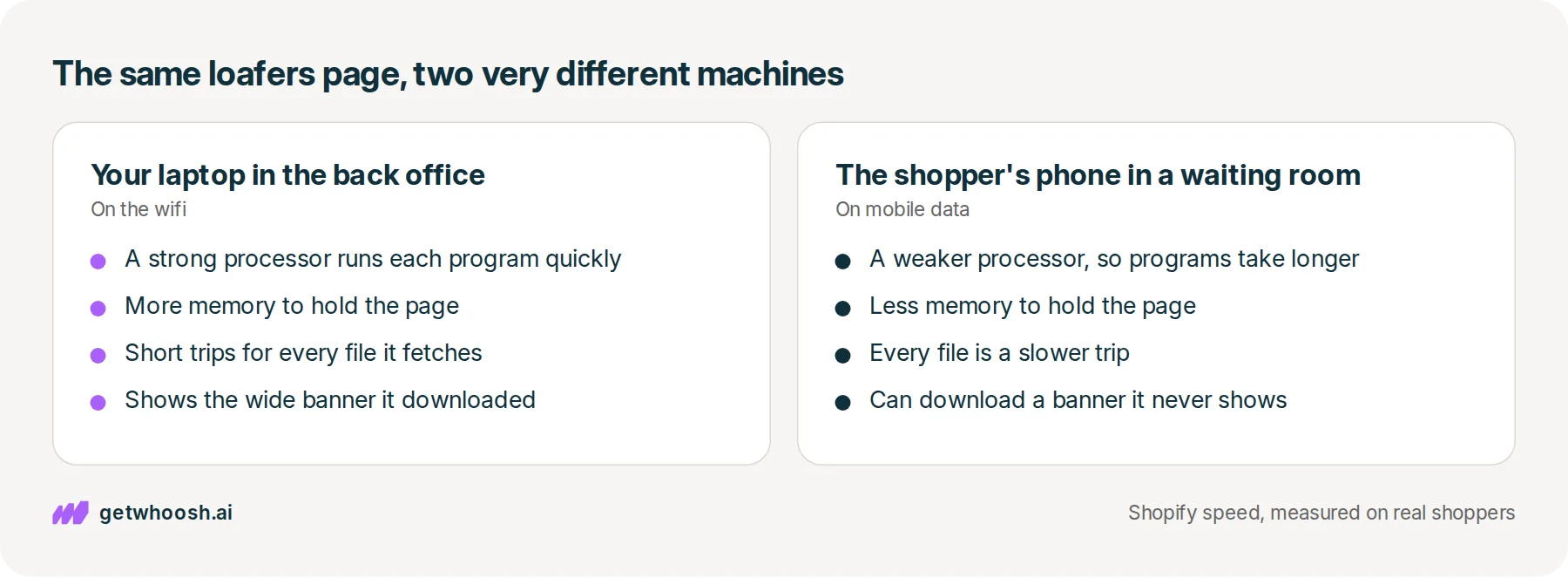
The phone is slower because it has less to work with. Its processor, the part that does the thinking, is weaker, it has less memory, and mobile data adds a delay to every file it fetches. Your store sends it the same page your laptop got, so it does the same work more slowly, and it can download a banner it never shows.
That gap between the back office and the waiting room is what people mean by Shopify mobile page speed. The laptop was never going to tell you how the waiting room felt, and the check at the end of this post is the one that will.
What the phone has to do before the loafers show up
OK, so what happens when the shopper taps? Shopify builds the loafers page on its own computers, and those computers cannot tell whether a phone or a laptop asked for it.
So the phone and the laptop get the same list of jobs. Download the loafers photo, download the banner, download the little programs your apps added, run those programs, and draw the page. The list is the same on both, and the machine working through it is not.
Shopify’s page on mobile speed says phones have weaker processors, less memory, and connections with more delay than a computer, and that what loads in a fraction of a second on a desktop can take several times longer on a mid-range phone.
Every file the loafers page asks for is one more trip over mobile data, and each trip from the waiting room takes longer than it does over the back-office wifi. Every program an app added has to run on the weaker processor before the phone moves on.
The same Shopify page gives an illustration of that second cost: a program that runs in 50 milliseconds on a desktop might take 200 milliseconds or more on a phone. That is Shopify’s example, not a measurement of your store, but it shows how an app you never notice on the laptop can hold up the shopper in the waiting room.
Next up, the banner. A theme can show a wide banner across the top on a computer and a narrower one, or nothing, on a phone. One way to do that is to put both in the page and hide whichever one does not fit the screen.
Here’s the catch. Shopify’s notes on responsive themes say hiding a banner does not stop the phone from downloading its pictures. If the loafers page holds a computer banner and a phone banner, the phone downloads both, even though the shopper in the waiting room only ever sees one.
Check your store's real numbers
The free Whoosh audit measures your store on real shopper data, names the scripts in the way, and estimates what the delay is costing. No install, about a minute.
Free. No install. Results in about a minute.
Why the laptop in the back office is the wrong place to judge the loafers
Bad news first. A look at the loafers on your laptop tells you nothing about the shopper in the waiting room, and Shopify’s page on mobile speed says so: a test on a fast desktop, with nothing slowed down, tells you nothing about how the page does on a phone.
That does not mean you have to learn to make your laptop pretend to be a phone. Shopify already keeps the numbers you need in its Web Performance dashboard, which you open from your Shopify admin. Shopify’s guide to testing says it reports how pages loaded for real visitors, split by type of page and by device, with data from Chrome users who agreed to share it.
The useful part is the comparison. Shopify’s page on mobile speed says to put the mobile and desktop numbers side by side, and that a large gap between them means the phone has a problem of its own.
That gives you a decision before you touch anything. A small gap means the phone is a slower machine running a page that is fine. A large gap means something on the loafers page costs the phone far more than the laptop, and the two places to look are the banner it never shows and the app programs it runs slowly.
I know what you’re thinking. You opened the loafers on your own phone as well, and they looked fine.
A new phone on the back-office wifi is not the shopper’s phone. Shopify’s mobile page says phones in the Moto G and Samsung Galaxy A ranges make up a large share of real shopping visits, which is why it suggests testing on a mid-range Android. The dashboard is built from your shoppers’ phones, so when it disagrees with yours, trust the dashboard.
The big PageSpeed score is a pretend visit from a Google computer, which is a different number again.
Open the camel suede loafers on your phone, on mobile data
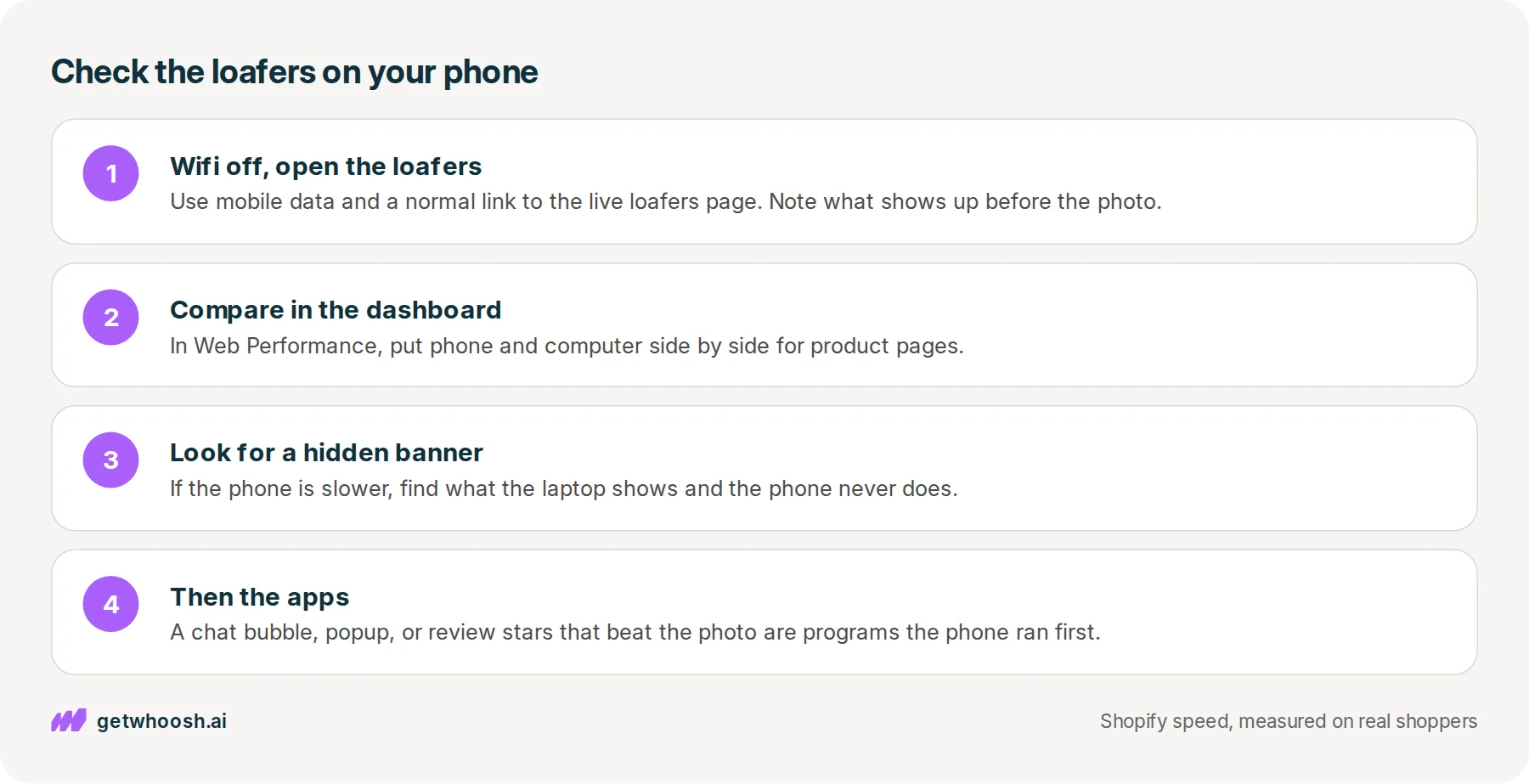
Here’s the check, in the order you would do it. You need your phone with the wifi turned off, your laptop, and your Shopify admin.
-
Turn off wifi on your phone so it uses mobile data, like the shopper in the waiting room, and open the live camel suede loafers product page from a normal link, not the theme editor. Note what shows up before the loafers photo does.
-
In your Shopify admin, open the Web Performance dashboard. For product pages, put phone and computer side by side and read the time until the main photo shows up, which the dashboard calls Largest Contentful Paint.
-
If the phone is the slow side, open the same loafers page on your laptop and look for anything the phone never shows, like a wide banner across the top. That banner is the first suspect.
-
If there is no hidden banner, or once it is sorted, go back to what arrived before the loafers on your phone. A chat bubble, a popup, or review stars that beat the photo are app programs the phone ran first.
So what do you do about the banner? Open the loafers page in the theme editor and click the banner’s section. If the theme lets you switch that banner off, or take it off the product page, the banner leaves the page altogether. Shopify’s notes on responsive themes say a banner controlled by a store setting like that is never sent to the shopper when it is off.
If the only choice is a switch that hides it on mobile, ask your theme developer whether the phone still downloads the banner it hides. If it does, the theme is still sending the computer banner to the phone, and the shopper in the waiting room waits on a picture they never see. Your developer can show you in Inspect, the panel that opens when you right-click a page in Chrome.
Now the apps. Any app nobody uses any more comes out first, and why a Shopify store gets slow shows where those switches live in your theme.
For the apps you keep, like the chat and the reviews, Whoosh’s Smart App Loading sequences their programs so they do not race the loafers photo, and they still load once the photo is on screen. It does that on the laptop too, but the phone pays more for every program it runs.
Smart App Loading is US$99 a month on the Shopify App Store, with a 7-day free trial, no code to write, and you cancel in Shopify.
Whoosh does not touch the banner. That check stays yours, and it comes first because it costs nothing.
If the gap is still large once the banner and the apps are sorted, the next suspect is the loafers photo itself. Shopify can send a phone a smaller copy of the photo, and the post on Shopify image optimization shows how to see whether your theme asks for one.
The dashboard is built from real visits, so give shoppers some days on the loafers page before you read it again. You can stop when phone and computer sit close together for product pages. The waiting room will always be a little slower than the back office, and a small gap means the phone no longer has a problem of its own.
Questions merchants ask
Should I build a separate mobile version of my store?
No. Shopify sends one page to every device, and your theme arranges it for the screen. Two copies of the same section, one for phones and one for computers, is the thing that costs the phone, because the phone receives both.
Do I need an Android phone to test my store?
It is useful if you have one. Shopify suggests testing on a mid-range Android, because phones like the Moto G and Galaxy A ranges make up a large share of real shopping visits. If you only have a new iPhone, lean on the Web Performance dashboard, because it comes from your shoppers' phones.
If I switch the banner off, does it disappear on computers too?
Yes, if you switch the whole banner off or take it off the product page, nobody gets it. If you want to keep it for computers, ask your theme developer for a version where the phone only downloads the banner it shows, rather than hiding the other one.
Is the loafers photo itself too big for the phone?
It can be, and that is a separate check. Shopify can make a smaller copy of the photo for a phone, but the theme has to ask for it. Look at the banner and the app programs first, then the photo if the phone is still the slow side.
Sources (4, checked 19 Oct 2026)
- 1 Shopify Dev: Test with real mobile CPU and network throttling (shopify.dev, checked 19 Oct 2026)
- 2 Shopify Dev: Testing for performance (shopify.dev, checked 19 Oct 2026)
- 3 Shopify Dev: Build responsive layouts that perform well on mobile (shopify.dev, checked 19 Oct 2026)
- 4 Whoosh on the Shopify App Store (apps.shopify.com, checked 19 Oct 2026)
How phones differ from computers, what hiding a banner does, and what the Web Performance dashboard reports come from Shopify's theme performance pages, checked on 19 Oct 2026. The camel suede loafers are an example, not a real store.
How posts are chosen, sourced, checked and corrected: our editorial policy.
Written by Edward Cameron Founder, Whoosh, Sydney, Australia
Edward Cameron is the founder of Whoosh, the Shopify speed app made in Sydney and on the Shopify App Store since August 2025. He writes here about what slows a Shopify product page and how to check it on your own store.
Keep reading
All posts
Apps & scripts 7 min read
Does page speed affect SEO on Shopify?
A shopper types leather slippers into Google on their phone. Google shows the page that matches those words best, even when it is slow, and speed only counts between pages that match equally well. Here is the phone check that tells you which one to fix first.

Apps & scripts 7 min read
Why your Shopify speed score and your real shoppers disagree
You paste your tote page into PageSpeed and get a red circle. That circle grades one pretend visit. Your real shoppers' wait for the tote photo is a different number, in the same report and in your Shopify admin, and it is the one to trust.

Apps & scripts 6 min read
Does Klaviyo slow down your Shopify store?
You added Klaviyo so you can reach shoppers after they leave. That needs a small program on the product page, and it only slows the store when it starts before the product photo.
