 Start Free Trial
 What does a meta description generator do for a Shopify product?
Your spatula's Google line is blank, so you try a meta description generator. Here is what it drafts, where Shopify keeps that line, and the one read you do before you save it.

Edward Cameron · Founder, Whoosh
6 min read

In short
A meta description generator is a tool that drafts the short line shown under your link in Google, using the product details you give it. For one product, like a thin stainless steel spatula, take the draft as a start. Read it against the product page before you save it in Search engine listing, because Google only uses your line when it describes the page better than the rest of the page does.
- A meta description generator drafts the line under your Google link from the product details it is given, and aims for the length Shopify suggests.
- Every Shopify product already has a box for that line in its Search engine listing section, and a blank box falls back to words from the page.
- Google uses your line when it describes the page better than the rest of the page, so a draft that buries the product or claims something the page does not say is wasted.
- Write the homepage and your best sellers yourself. A bulk generator earns its place when the catalog is too big to write a line for every product.
The spatula’s Google line is blank, so you try a generator
You sell a thin stainless steel spatula, and the line that can sit under its link in Google is blank. A meta description generator is a tool that drafts that line for you from the product details you give it. Take the draft, but read it against the spatula’s page before you save, because Google’s page on snippets says it uses your line when it describes the page better than the other words on the page do.
So where is that blank? In your Shopify admin, each product has a section near the bottom called Search engine listing, and it holds one box for this line. Whatever you type there stays off the product page itself. It is written for the shopper still in Google, reading a column of links and deciding which one to tap.
People who build websites call that line a meta description. If you leave the box empty, Shopify does not leave the spatula with nothing. Shopify’s guide to meta descriptions says Google can build the line from words visible on the page, and on a product the product description can stand in for it.
So the spatula already gets some line. What a generator offers is a line somebody chose, in place of whatever your product description happens to open with.
What a generator does with the spatula
OK, so what happens when you press the button? A web tool asks you to type a few things first: the product’s name, a sentence or two about it, and sometimes a word you want included. An app installed in your Shopify admin can read the product’s details from your store instead, so you can draft a line without pasting anything.
Then it writes a sentence aimed at a set length. Shopify’s guide recommends about 160 characters, and says to put the most important information first because Google may show a shorter line.
Here’s the catch. A generator can only work from what it was given. If your spatula’s description says it has a thin edge and is dishwasher safe, a draft can say so. If the description is two vague words, the draft has nothing specific to say, and you get a sentence that would fit under any spatula on any store.
Compare that with the line Shopify’s guide gives for this exact product: “Stainless steel spatula with a thin edge for flipping. Dishwasher safe and ships in 24 hours.” The first sentence says what it is, and the second says why to buy it from this store. A shopper can check every word of it on the page.
The other habit to watch is the phrase someone would type into Google, like “metal spatula”. People call that phrase a keyword. Hand a generator that phrase and it will work it in, which is fine once. Google’s page says a description made of a long string of those phrases is less likely to be shown, so a draft that reads like a list of searches is the one to throw out.
Check your store's real numbers
The free Whoosh audit measures your store on real shopper data, names the scripts in the way, and estimates what the delay is costing. No install, about a minute.
Free. No install. Results in about a minute.
Why you keep the draft, and when you write it yourself
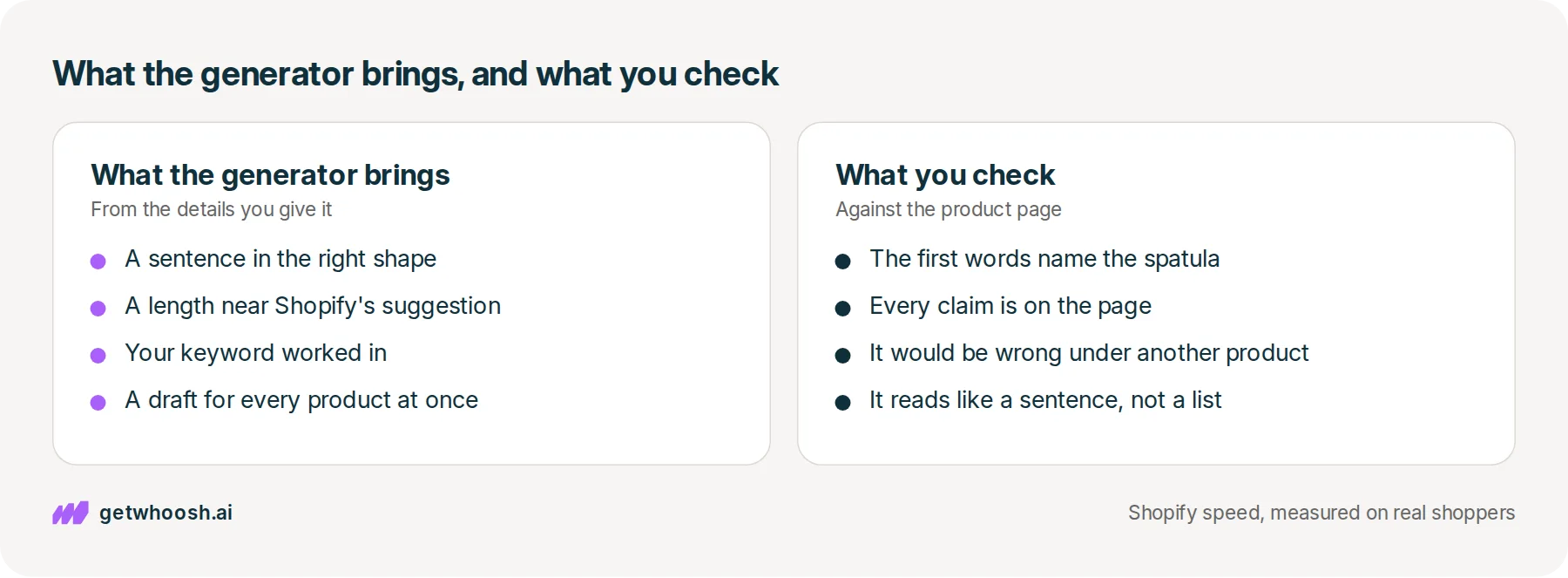
A draft is useful because the blank box is the hardest part. You get a sentence in roughly the right shape and length, and you edit it instead of staring at nothing. The generator writes the sentence. You know whether it is true.
For one spatula, though, the draft does not save you much. Two sentences about a product you sell take a few minutes, and Shopify’s guide says most small brands are better off writing these lines by hand, especially on their highest-priority pages.
Where a generator earns its place is a big catalog. Shopify’s guide says generators are for brands with thousands of products and not enough people to write a unique line for each one. Google’s page agrees that a big catalog can build a line from each product’s own details, as long as the result reads like a person wrote it and differs from page to page.
That bulk job is what SEO HERO AI Meta Tag Generator is built for. Its App Store listing says it drafts meta titles and meta descriptions for products, can do collections and pages, and has a free plan with 25 one-time credits. If you have hundreds of products and a blank box on every one, an app like that is the better buy over writing each line by hand.
I know what you’re thinking. Will a better line push the spatula up Google? Shopify’s guide says meta descriptions are not a direct ranking factor. The line does its work after the search, when the shopper is choosing which link to tap, and that is why it has to describe the spatula and not the whole kitchen range.
Read the draft against the spatula’s product page, then save
Let’s start with the spatula, in the order you would click. Open the live product page in one tab, and the generator in another, so you are reading the draft against the page a shopper will land on.
Read the draft and ask three questions. Do the first words name the spatula, in the words someone would search for? Is every claim in it, like the thin edge or the dishwasher, also on the page? And would it be wrong if you pasted it under a different product in your store?
If the answer to all three is yes, go to your Shopify admin. Open Products, click the spatula, scroll to Search engine listing, and click Edit website SEO or the pencil icon, which is the way in that Shopify’s guide gives. Paste the line, fix anything the draft got wrong, and save the product.
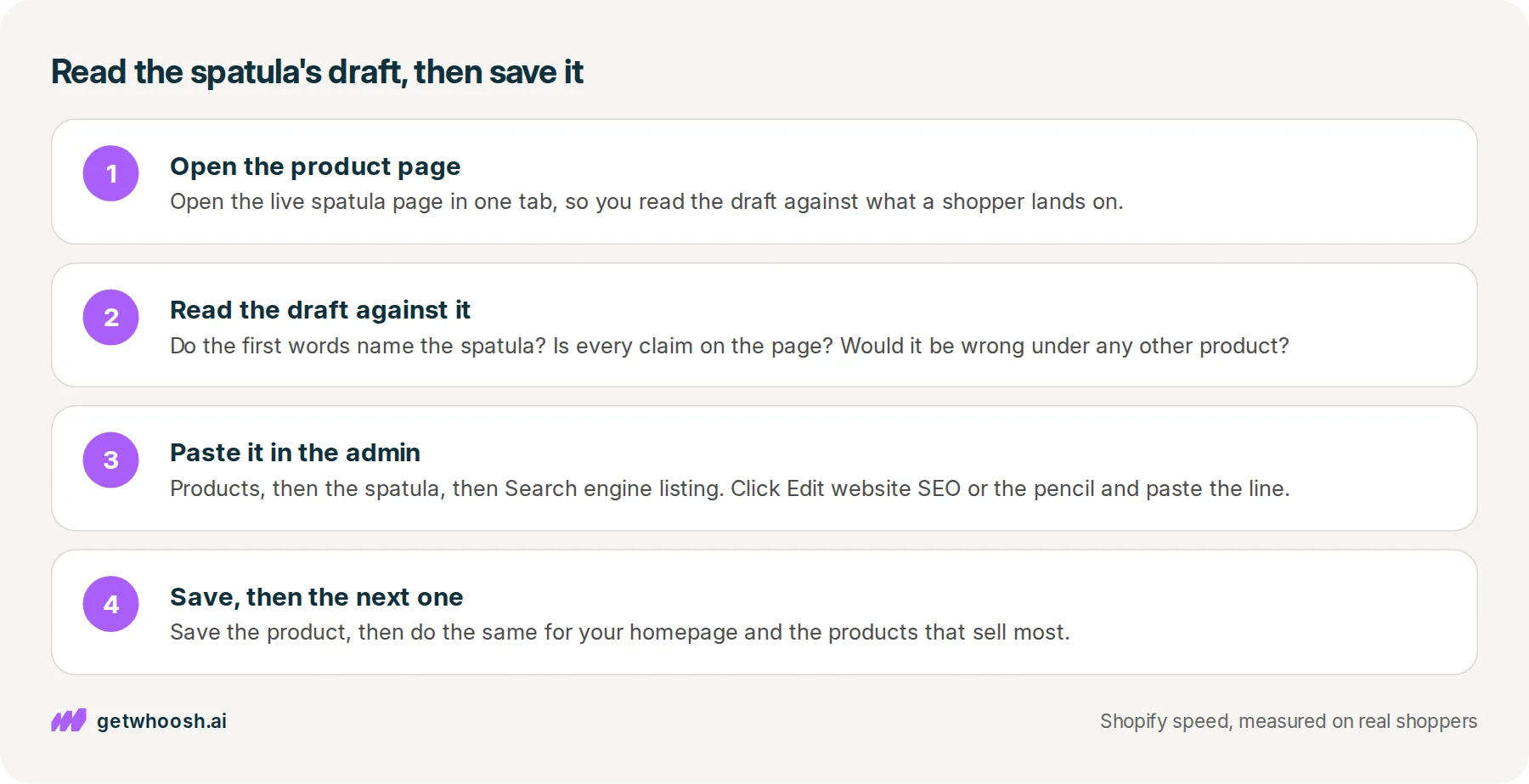
For the rest of the store, split the work. Google’s page says to prioritise the critical pages, like your homepage and popular pages, if you cannot write a line for every one. Write those yourself, and note that your homepage line lives under Online Store, then Preferences, in the Social sharing image and SEO section.
Then let a bulk tool draft the rest of the products, and give each draft the same three questions before it goes live.
You can stop when every product you push has a line you have read against its page. If you would rather write the spatula’s line from scratch, the meta description example post shows the shape. To confirm the live page is sending the line you saved, the meta description checker post shows where to look.
Now, the line earned the tap. What does the shopper see next? They open the spatula’s page expecting the thin edge they just read about, and the photo has to be there. If a chat bubble or a reviews widget takes its turn first, they can be looking at an empty space where the spatula should be.
That is the one job Whoosh does here. Smart App Loading holds your other apps until the product photo is on screen, and it does that without removing those apps or copying your theme. It is US$99 a month with a 7-day free trial, and Nakie’s published case study shows that store’s load time falling from 4.8 seconds to 1.35 seconds.
Run our speed check on the spatula’s link to see what reaches the page before its photo does. If the photo is first and the line under the link matches the product, the shopper who tapped gets the spatula they read about.
Questions merchants ask
Is Google OK with meta descriptions a tool wrote?
Google's page on snippets says generating descriptions can be appropriate for large sites, as long as each one reads like a sentence and describes its own page. What it warns against is the same line on every page, or a long string of keywords. Read each draft against its product and you are on the right side of both.
The generator gave two products almost the same line. Does that matter?
Yes. Google says identical descriptions on every page are not helpful, because each product turns up in results on its own. Change the first words of each so they name the product, using a detail that is only true of that one.
Should I generate the line for my homepage too?
Write that one yourself. It is the page Google suggests you prioritise, and it describes the whole store, which a product generator is not set up to do. In Shopify it sits under Online Store, then Preferences, in the Social sharing image and SEO section.
I saved the generated line. Why does Google show different words?
Google mostly builds the line under the link from the page itself, and the same page can show different text for different searches. If your saved line is the one on the page, the store is doing its part, and the words Google prints are its choice.
Sources (4, checked 3 Oct 2026)
- 1 Google Search Central on controlling snippets in search results (developers.google.com, checked 3 Oct 2026)
- 2 Shopify on how to write meta descriptions (shopify.com, checked 3 Oct 2026)
- 3 SEO HERO AI Meta Tag Generator on the Shopify App Store (apps.shopify.com, checked 3 Oct 2026)
- 4 Whoosh case study: how Nakie cut load times from 4.8s to 1.35s (getwhoosh.ai, checked 3 Oct 2026)
The 160 character recommendation, the spatula example, and the admin paths come from Shopify's guide to meta descriptions, and how Google picks the line comes from Google's page on snippets. The bulk app is described from its App Store listing, and the one store result is Nakie's published case study.
How posts are chosen, sourced, checked and corrected: our editorial policy.
Written by Edward Cameron Founder, Whoosh, Sydney, Australia
Edward Cameron is the founder of Whoosh, the Shopify speed app made in Sydney and on the Shopify App Store since August 2025. He writes here about what slows a Shopify product page and how to check it on your own store.
Keep reading
All posts
Agentic commerce 6 min read
What does a meta description checker tell you about your Shopify store?
You paste your spatula's link into a meta description checker and get a length score. Here is what that score reads, where Shopify already shows the same line, and why it is not the line Google prints.

Agentic commerce 6 min read
What is a good meta description example for a Shopify product?
A shopper searching for a spatula reads the short line under each Google link before they tap. Here is Shopify's own example of that line, why the first words matter most, and where you type yours.

Agentic commerce 6 min read
What should your Shopify homepage meta description say?
A shopper searching for sustainable clothes reads one line under your homepage link before they tap. Here is what that line should say about your whole store, where Shopify keeps it, and what the homepage has to show next.
