 Start Free Trial
 Does site speed affect conversion rate?
A visit where the product page finishes loading fast turns into an order about twice as often as a slow one, on the stores we measure. Turning Whoosh on put more visits in the fast group and did not raise the rate.

Edward Cameron · Founder, Whoosh
7 min read

In short
Yes, on the stores we measure. A page has finished loading when the address bar on the shopper's phone stops spinning, which browsers call the load event. Visits where the product page finished in under three seconds became orders about twice as often as visits still loading at five seconds. Turning Whoosh on put more visits in that fast group, but overall conversion stayed flat, so speed sits beside sales without proving it caused them.
- On the stores we measure, a visit where the product page finished loading in under three seconds became an order about twice as often as one still loading at five seconds or later.
- Finished means the address bar on the phone stops spinning, which browsers call the load event. The scarf photo is usually on screen well before that.
- Turning Whoosh on put more visits in the fast group, and overall conversion in the same window stayed flat. Fast pages sell more, and the app did not raise the rate on its own.
- Time the live product page on your phone. If it is still spinning at five seconds, look at the apps that arrive just before it finishes.
A shopper opens your rust wool scarf on their phone
Yes, site speed and conversion move together, and by a lot. In the conversion CSV from the stores we measure, a visit where the product page finished loading in under 3 seconds turned into an order about twice as often as a visit where the page was still loading at 5 seconds or later.
But here’s the catch. Turning Whoosh on put more visits into that fast group, and the overall conversion rate did not go up. The fast group buys more, and putting more visits into it did not, on its own, add orders.
Let’s keep this on one product the whole way through. Someone on the bus sees your rust wool scarf in an ad and taps through, and the scarf page opens on their phone.
The scarf photo comes up, then the price and the Add to cart button. Meanwhile the address bar keeps going, because the rest of the page is still arriving: the review stars, the chat bubble, the popup asking for an email.
When the address bar finally stops spinning, the page has finished. That finish is the clock this post uses, and you can watch it yourself on any phone.
When the address bar stops, and how the visits get sorted
So what is the phone doing between the scarf photo and that finish? It is fetching everything else the page asked for, one piece after another, until there is nothing left.
Your theme asks for the words, the price, and the scarf photo. Each app you installed adds its own small program, like the one that draws the review stars under the price or the one that puts a chat bubble in the corner, and those programs often ask for more files of their own.
The address bar keeps spinning until the last of those pieces is in, which is why the scarf can be on screen well before the page is done. Some phones show a thin loading line under the address instead of a spinner, and it means the same thing.
The moment the last piece arrives, the browser marks the whole page as finished. Developers call that the load event, and it is the finish line in every number below.
Here’s how far apart the photo and the finish can be. In the template CSV, on product pages with Whoosh on, three out of four visits had the photo up by about 1.8 seconds, and three out of four had finished loading by about 8.6 seconds.
So a shopper can be reading the price, even scrolling to the size chart, while the page behind the scarf is still working.
Now the groups. Every visit to a product page gets one time, from the tap on the link to that finish. If the page finished in under 3 seconds, the conversion CSV puts that visit in the fast group, and if it was still going at 5 seconds or later, the visit goes in the slow group, with a middle group in between that I’ll leave out here.
Then the CSV asks one question about each visit: did an order come in during the hour after that page finished? If it did, the visit counts as a conversion, and a group’s conversion rate is the share of its visits that ended in an order.
Check your store's real numbers
The free Whoosh audit measures your store on real shopper data, names the scripts in the way, and estimates what the delay is costing. No install, about a minute.
Free. No install. Results in about a minute.
Why the twice is worth knowing, and what Whoosh did not change
Bad news first. Turning Whoosh on did not raise the conversion rate on the stores we measure, even though it put more visits into the fast group.
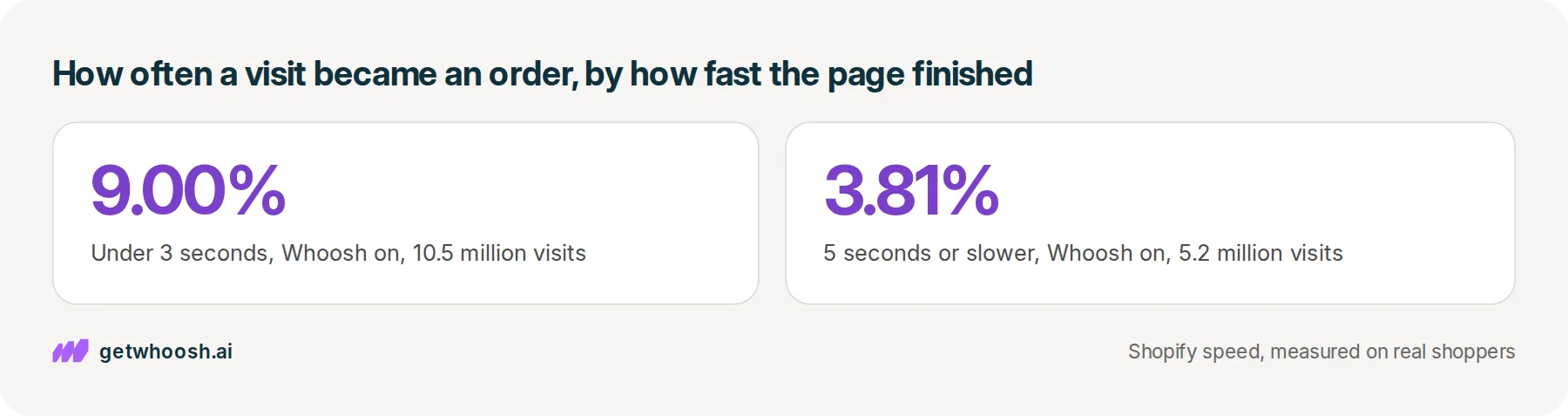
In the conversion CSV, under 3 seconds 9.00% of visits ordered with Whoosh on (10.5 million) and 9.15% off (8.1 million), typical store 6.83% on and 7.08% off. At 5 seconds or slower the CSV shows 3.81% on (5.2 million) and 4.21% off (5.6 million), typical store 3.31% on and 3.30% off. In that CSV, Whoosh on has 49% under 3 seconds against 41% off, overall conversion is flat at 6.87% on and 6.92% off, and inside a speed group the typical store did not convert higher with it on.
You don’t have to take our word for fast pages selling more. Shopify’s own write-up on store speed and conversion found that faster stores and higher conversion sit together, and it says plainly that this is a correlation, not proof that speed caused the orders.
Our numbers show why that warning matters. If speed on its own made the orders, putting more visits in the fast group would have pushed the overall rate up, and it stayed flat.
What I can’t tell you is how much of the gap is the page and how much is the shopper. Someone at home on good wifi and someone on a train with one bar of signal are different visits before the scarf page even starts, and these numbers don’t separate the two.
So why bother with the twice at all? Because it still earns you a quick decision about the scarf page, and there are only two endings.
If the page finishes fast, speed is not what is holding the scarf back. Leave the apps alone and spend the afternoon on the photo, the price, or the words under it.
If the page is still spinning when you count to five, that visit sits with the group that buys least. Finding what is still arriving is worth an hour, because you can fix it whatever the reason for the gap turns out to be.
Time the scarf page on your own phone
Here’s the check. It takes a minute, and it uses the same finish line as the numbers above.
-
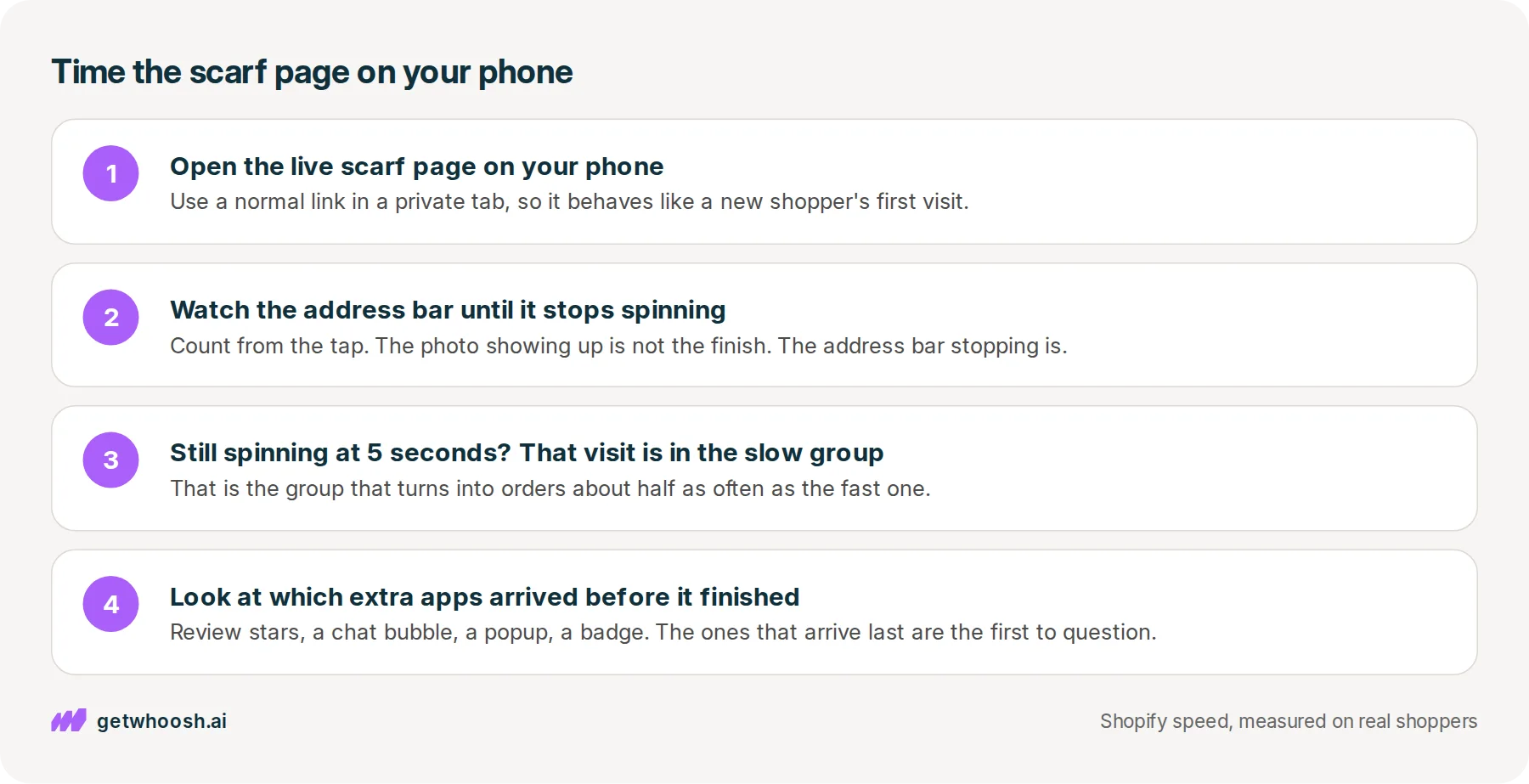
Open the live scarf page on your phone from a normal link, in a private tab, so it behaves like a first visit from a new shopper.
-
Watch the address bar, not the photo, and count slowly from the moment you tap until it stops spinning or the loading line disappears.
-
If it is still going at 5 seconds, that visit is in the slow group in the conversion CSV, even when the scarf photo was up long before.
-
Look at what showed up just before it stopped, like the review stars, the chat bubble, a popup, or a badge, because the apps that arrive last are the first ones to question.
If the address bar stopped well before you got to five, you can stop here. The scarf page is already in the fast group, and the rest of its job is the photo, the price, and the words.
If it was still going, the next suspect is an app still switched on in your theme that nobody needs any more. Turn those off, and keep the ones that earn their place on the page.
I know what you’re thinking. You would rather install one thing than go through every app on the scarf page.
That’s the job Smart App Loading takes on. It puts your other apps’ programs in order, so the review stars, the chat, and the popup still load, but they wait behind the scarf photo instead of racing it. With Whoosh on, the conversion CSV already showed more visits finishing in the fast group, 49% under 3 seconds against 41% off.
Smart App Loading is US$99 a month on the Shopify App Store, with a 7-day free trial and no code required.
Now the bad news on our side. The slow end barely moved: for the typical store in the vitals CSV, three out of four visits had finished loading by about 5.0 seconds with Whoosh on and about 5.3 seconds with it off. An app nobody uses still has to come out, with Whoosh or without it.
Make sure you are timing the right wait, too. Once the scarf page has finished, a shopper who taps the charcoal colour and waits for the photo to change is on a different clock, and that one has its own check.
After each app you switch off, open the live scarf page on your phone again and watch the address bar until it stops spinning. The question each time is the same, whether that finish is still going when you reach five.
Questions merchants ask
Is the page finishing the same as the scarf photo appearing?
No. The photo usually comes up first, and the page keeps loading after it while the review stars, the chat, and the other app pieces arrive. On product pages in the stores we measure, the photo is up several seconds before the page finishes. The numbers in this post use the finish, when the address bar stops spinning.
Did Whoosh raise conversion on the stores you measure?
No. With Whoosh on, more visits finished in the fast group, but overall conversion in that window was flat, and inside each speed group the typical store did not convert higher with it on. Fast pages turn into orders about twice as often as slow ones. Turning the app on did not add orders by itself.
Do I have to uninstall my other apps to get the scarf page loading faster?
No. Keep the apps you use, and remove the ones nobody uses any more. Putting an app's program in order behind the photo delays it. It does not delete the app. After any change, open the scarf page on your phone and check the reviews, the chat, and the popup still show up.
What do I do if the scarf page is still spinning at 5 seconds?
Note which pieces arrive just before the address bar stops. Then look for apps still switched on in your theme that nobody needs, and turn them off one at a time. Open the live scarf page on your phone after each change, so you can see which one moved the finish.
Sources (3, checked 16 Oct 2026)
- 1 Shopify on store speed and conversion (shopify.com, checked 16 Oct 2026)
- 2 MDN on the window load event (developer.mozilla.org, checked 16 Oct 2026)
- 3 Whoosh on the Shopify App Store (apps.shopify.com, checked 16 Oct 2026)
The rates come from the conversion CSV for the stores we measure, 30 June 2026 through 28 September 2026, visits with Whoosh on and off. The rust wool scarf is an example, not a real store. Shopify's correlation line is from their store-speed article, checked 16 Oct 2026.
How posts are chosen, sourced, checked and corrected: our editorial policy.
Written by Edward Cameron Founder, Whoosh, Sydney, Australia
Edward Cameron is the founder of Whoosh, the Shopify speed app made in Sydney and on the Shopify App Store since August 2025. He writes here about what slows a Shopify product page and how to check it on your own store.
Keep reading
All posts
Apps & scripts 7 min read
Why is Shopify mobile page speed slower than your laptop?
Your camel suede loafers load fine on the laptop in the back office, and a shopper in a waiting room waits for them on their phone. The phone gets the same page with less to work with. Here is how to tell whether it has a problem of its own, and what to check first.

Apps & scripts 7 min read
Does page speed affect SEO on Shopify?
A shopper types leather slippers into Google on their phone. Google shows the page that matches those words best, even when it is slow, and speed only counts between pages that match equally well. Here is the phone check that tells you which one to fix first.

Apps & scripts 7 min read
Why your Shopify speed score and your real shoppers disagree
You paste your tote page into PageSpeed and get a red circle. That circle grades one pretend visit. Your real shoppers' wait for the tote photo is a different number, in the same report and in your Shopify admin, and it is the one to trust.
