 Start Free Trial
 Shopify bounce rate page speed: why shoppers leave after one page
A shopper taps your ad, the chestnut boots page opens, and they leave before a second page. That is a bounce. Here is how Shopify counts it, when a slow page is the reason, and the check on your phone that tells you which.

Edward Cameron · Founder, Whoosh
6 min read

In short
A bounce is a visit where someone lands on your store and leaves without engaging any further, opening a single page such as your boots and then going. Shopify counts these in its acquisition reports. A slow page is one reason shoppers leave that early, and slower pages bounced more in a study Shopify cites. A high rate is not proof of a slow page, so check whether the boots photo shows up quickly on a phone first.
- A bounce is a visit that opens one page, such as the chestnut boots, and leaves without engaging any further. Shopify's bounce rate is bounces divided by sessions.
- In Yottaa's 2025 index, as Shopify reports it, pages slower than four seconds had a 63% bounce rate and pages at four seconds or faster had 45%. Those are that study's stores, not yours, and they do not prove the wait caused each exit.
- The same rate counts a shopper who saw the boots and left, and one who never saw them. Your phone is what separates those two.
- Read the rate in your acquisition reports, then open your ad's link on your phone. If the boots show up first and people still leave, speed is the wrong next fix.
A shopper taps your ad and leaves the chestnut boots page
A bounce is a visit where someone lands on your store and leaves without engaging any further. They open a single page and leave, which is how Shopify’s guide to bounce rate puts it, and a slow page is one reason that happens. Your bounce rate is the share of visits that did. A slow page can add to it, but a high rate does not, on its own, mean the page is slow.
Here’s the visit, with one pair of boots. Someone waiting for a coffee scrolls past your ad for chestnut leather boots, taps it, and the product page for the boots opens on their phone.
They look, or they wait. Then they close the tab without opening a second page, and Shopify counts that visit as a bounce.
Two very different shoppers can end up as that same bounce. One saw the boots, checked the price, and left to think it over. The other watched an empty space where the boots should be, and gave up.
The report counts both of them the same way. The check at the end tells you which one you have, and only one of them is a speed problem.
What Shopify counts as a bounce, and where it adds them up
When the boots page opens from your ad, that is the start of the visit. If they then open a second page, another pair or the size guide, the visit did not end on the boots.
If the boots page is the only page they open before they go, they opened a single page and left, and that visit counts as a bounce. A shopper who read every word of the description and one who left in a blink can both be that visit, because both stopped on the boots page.
Your bounce rate is the bounces divided by the visits. Shopify’s guide to bounce rate writes it as bounces divided by all sessions. If half the visits from your boots ad end on the boots page, the bounce rate for those visits is half.
So where does speed come in? The slow version of the visit goes like this. The boots page starts to arrive on the phone, the name and the price come in, and the space for the boots photo stays empty while a chat bubble or a popup takes its turn first.
The shopper closes the tab while they wait. Shopify still counts the visit, because the boots page was the one page it opened, so a shopper who never saw the boots lands in the same bounce as one who saw them and moved on.
You don’t need a separate tool to see the count. Shopify’s guide to bounce rate says you can check it in Shopify’s acquisition reports, and those reports also show sessions, add-to-cart rate, and checkout conversion rate.
Check your store's real numbers
The free Whoosh audit measures your store on real shopper data, names the scripts in the way, and estimates what the delay is costing. No install, about a minute.
Free. No install. Results in about a minute.
Why a slow boots page is one reason to leave, and not the only one
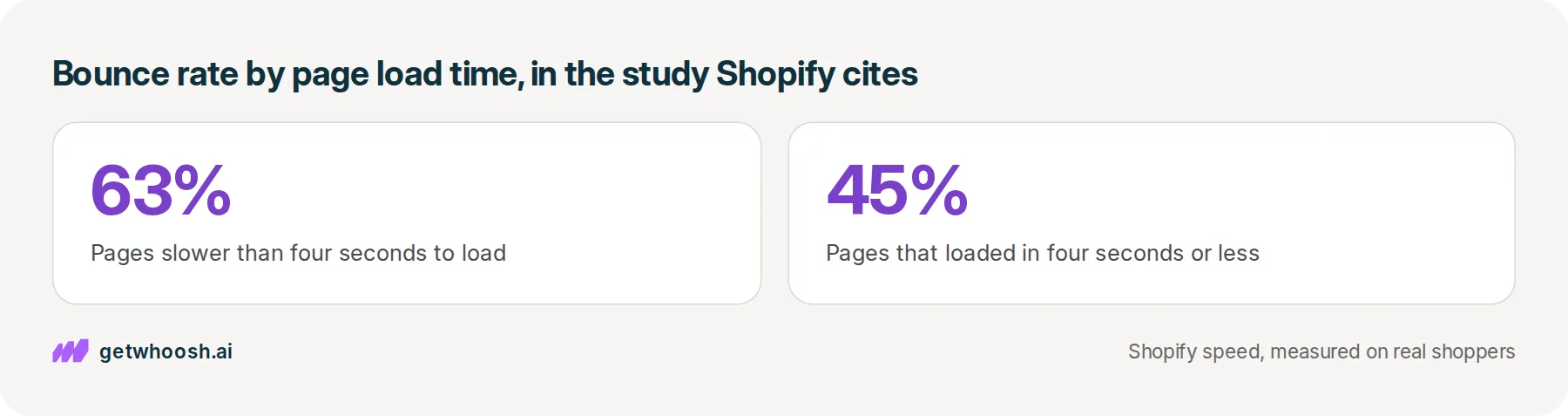
Bad news first: slow pages do lose more shoppers after one page, at least across the big crowd of stores Shopify points to. Shopify’s article on page load times reports that in Yottaa’s 2025 Web Performance Index, pages taking longer than four seconds to load had a 63% bounce rate, and pages that loaded in four seconds or less had a 45% bounce rate.
That index covered more than 500 million ecommerce visits across more than 1,300 ecommerce sites, as Shopify’s article describes it. Those are other people’s stores, not your boots page, and not stores we measure.
It shows slow pages and one-page visits turning up together. It does not prove the wait sent each of those shoppers away, because some of them would have left a fast page too.
The other half is just as true, and it comes from that same one-page count. Picture a shopper who already owns the boots in black and only wanted to see the chestnut. One page gives them that. They leave, it counts as a bounce, and nothing on the page went wrong.
The rate tells you how many shoppers left after the boots page. Your phone tells you whether they were still waiting for the boots when they went.
Leaving is the first thing a slow page can cost you. Whether the shoppers who stay turn into orders more often when the page is fast is a separate question, with its own numbers.
That leaves two endings. If the boots are slow to show up on a phone, work on speed first, because a shopper staring at an empty space is the bounce the study describes. If the boots are on screen straight away, the rate is telling you about something else on the page.
Read the rate, then open the boots ad on your phone
Here’s the check. It takes a few minutes, first in your admin and then on your phone.
-
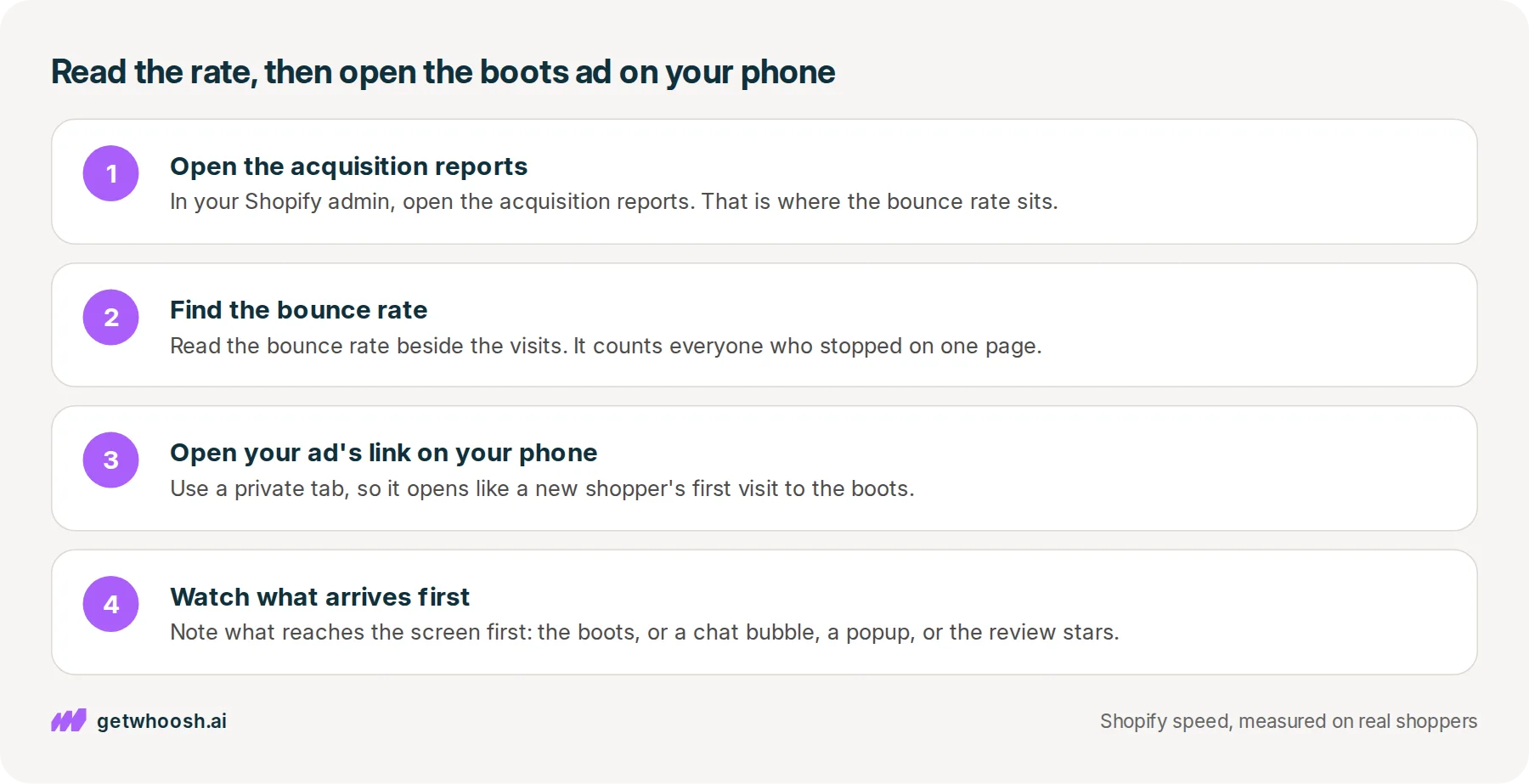
In your Shopify admin, open the acquisition reports. Shopify’s guide to bounce rate says that is where you check the bounce rate, with no separate tool.
-
Read the bounce rate beside the visits. That number mixes shoppers who saw the boots with shoppers who never did, which is why the phone comes next.
-
On your phone, open the link your ad sends people to, which should be the boots product page, in a private tab so it opens like a new shopper’s first visit.
-
Watch the space where the chestnut boots go. Note what reaches the screen first: the boots, or a chat bubble, a popup, or the review stars.
If the boots are still missing when you would have closed the tab, you are looking at the slow kind of visit, whatever else has turned up on the page.
If something else beat the boots to the screen, start with the apps nobody uses any more. Why a Shopify store gets slow shows where their switches live in your theme, and turning one off does not uninstall the app.
I know what you’re thinking. You still want the chat, the popup, and the reviews on the boots page, just not in front of the boots.
That is what Whoosh’s Smart App Loading plan does. It puts the programs from your other apps in order so they do not race the boots photo, and they still load once the boots are up. Smart App Loading is US$99 a month on the Shopify App Store, with a 7-day free trial, no code to write, and you can cancel in Shopify.
If the boots were on your phone straight away, before anything else, speed is the wrong next fix. Those shoppers saw the boots and still left after one page.
So look at what they saw instead: whether the page shows the chestnut your ad showed, the price they expected, and their size. Change that on the boots page, then read the bounce rate in the same report again a few weeks later.
Questions merchants ask
If a shopper reads the whole boots page for two minutes, is that still a bounce?
Yes, if they leave without opening a second page. Shopify's guide describes a bounce as opening a single page and leaving. A long read of the boots description and a quick exit can both be that visit, when neither person opened anything else.
What bounce rate should my store aim for?
Shopify's guide to bounce rate gives the formula, not a target, and the load-time study describes other stores, not yours. Compare your rate against itself instead: the same report, this month against last. A rate that climbs after you add an app or change the product page tells you more than a number from someone else's store.
I turned off an app. When should I read the bounce rate again?
Give it a few weeks of visits from the same ad, then open the same acquisition report and read the rate for that later stretch against the weeks before you turned the app off. A single day can swing on a handful of shoppers, so one day is not the verdict.
Do I have to remove the chat so it stops beating the boots photo?
No. Leave the chat installed. It should show up after the boots are on the screen, not before them. Open the boots page on your phone after any change and tap the chat once the photo is there, so you know it still works.
Sources (3, checked 20 Oct 2026)
- 1 Shopify blog: What is bounce rate (shopify.com, checked 20 Oct 2026)
- 2 Shopify Enterprise blog: How to reduce page load times for ecommerce (shopify.com, checked 20 Oct 2026)
- 3 Whoosh on the Shopify App Store (apps.shopify.com, checked 20 Oct 2026)
The chestnut leather boots are an example, not a real store. The 63% and 45% bounce rates come from Shopify's page load times article, which cites Yottaa's 2025 Web Performance Index, not from stores we measure.
How posts are chosen, sourced, checked and corrected: our editorial policy.
Written by Edward Cameron Founder, Whoosh, Sydney, Australia
Edward Cameron is the founder of Whoosh, the Shopify speed app made in Sydney and on the Shopify App Store since August 2025. He writes here about what slows a Shopify product page and how to check it on your own store.
Keep reading
All posts
Apps & scripts 7 min read
Does site speed affect conversion rate?
A visit where the product page finishes loading fast turns into an order about twice as often as a slow one, on the stores we measure. Turning Whoosh on put more visits in the fast group and did not raise the rate.

Apps & scripts 7 min read
Why is Shopify mobile page speed slower than your laptop?
Your camel suede loafers load fine on the laptop in the back office, and a shopper in a waiting room waits for them on their phone. The phone gets the same page with less to work with. Here is how to tell whether it has a problem of its own, and what to check first.

Apps & scripts 7 min read
Does page speed affect SEO on Shopify?
A shopper types leather slippers into Google on their phone. Google shows the page that matches those words best, even when it is slow, and speed only counts between pages that match equally well. Here is the phone check that tells you which one to fix first.
