 Start Free Trial
 Whoosh vs Yottaa: what the free plan does
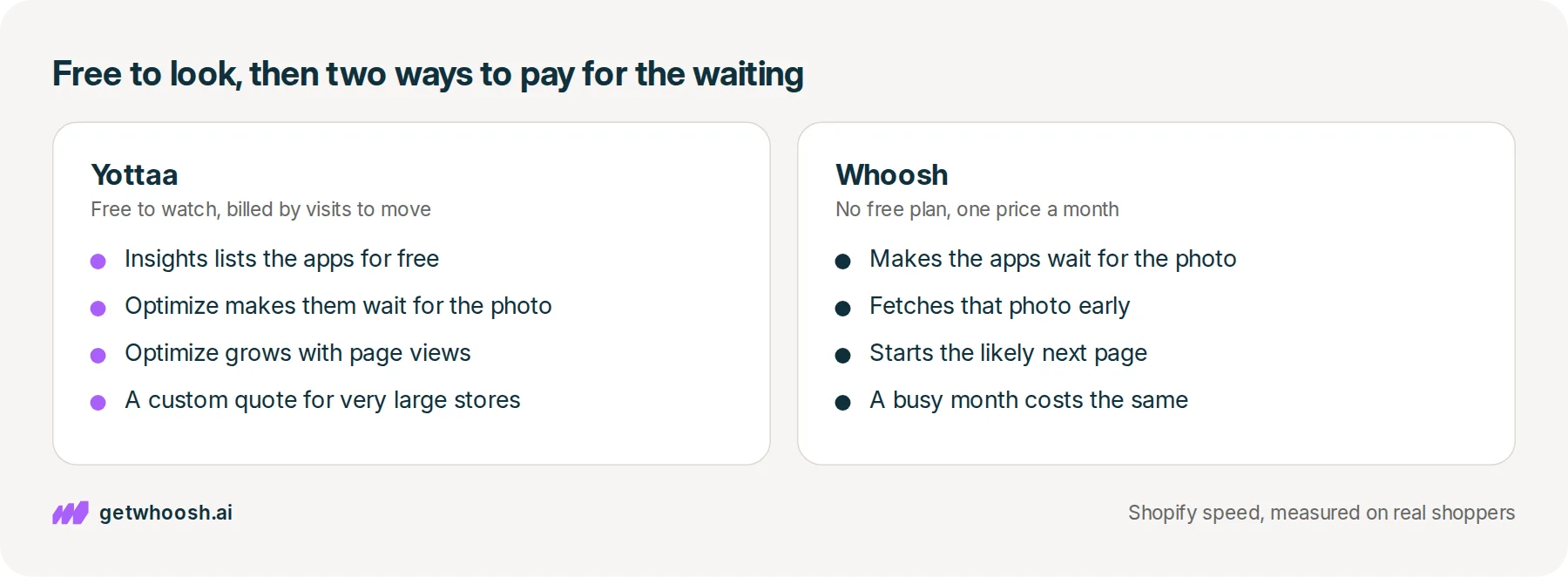
Yottaa's free plan tells you which apps your product photo is waiting on. Making those apps wait is the paid part, and on Yottaa it is billed by page views. Whoosh does that waiting at the same price every month.

Edward Cameron · Founder, Whoosh
6 min read Updated

In short
Yottaa's free plan, Yottaa Insights, watches your store. It records how fast pages open for real visitors and lists the apps that load alongside the product photo. It does not make those apps wait. That is the paid Optimize add-on, and its bill grows with the number of pages people open. Whoosh does the same waiting job with no free plan, at the same price every month however busy the store gets.
- Yottaa Insights is free. It names the apps your product photo is waiting on, and leaves them where they are.
- Making those apps wait is Yottaa's paid Optimize add-on, billed by the number of pages people open.
- Whoosh does that same waiting job at one price every month, and tests itself on half your visits.
- Yottaa is the better start if you want to look for free first. Check one product page before you pay either of us.
The shirt photo is waiting on your other apps
Yottaa’s free plan watches your store and tells you which apps are holding up the product page. It does not make those apps wait. That is the paid part, and how you pay for it is the real difference between Yottaa and Whoosh.
Picture someone tapping your ad on their phone and landing on the page for your linen shirt. They came to see the shirt. While the page opens, your chat bubble, your review stars, and your email popup start loading too, and each one is a small program from another company. If those programs run first, the shopper stares at an empty box where the shirt should be.
Whoosh and Yottaa both work on that empty box. Each can tell the extra apps to wait until the shirt photo is on screen, which is what people call app sequencing. We make Whoosh, so keep that in mind when you read the table. The job is the same. The bill is not.
The free plan watches, and the add-on moves the apps
Let’s start with the free part, because it’s what most people install first. Yottaa Insights records how fast the shirt page opens for real visitors, and it lists the apps loading alongside the photo. That list is handy. It tells you the chat bubble’s name, and it leaves the chat bubble exactly where it was.
So what makes the chat wait? A paid add-on, called Optimize on the App Store. Yottaa’s pricing page calls the free part RAPID inSITE and the paid part RAPID CTRL, so expect either name on the invoice. Yottaa’s Shopify page says it changes that order without code changes, and it describes splitting visitors to test a change.
Whoosh has no free screen. You install it, it spots the apps it knows, and it holds them back until the shirt photo is up. It also fetches that photo early and starts opening the page the shopper is likely to tap next, though never the cart, checkout, or account pages.
To show you whether it helped, Whoosh runs a 50/50 test on your own store, where half the visits get Whoosh and half don’t, and you compare sales. TileCloud ran that test and published a 10% conversion lift. That’s one store’s result, and it is not a promise for yours.
| What you get | Whoosh | Yottaa |
|---|---|---|
| What it does on the page | Holds extra apps until the photo is up; fetches that photo early; starts the likely next page | Insights watches and lists your apps; the Optimize add-on holds them back |
| Your theme | No code; does not copy the theme; leaves cart, checkout, and account alone | Changes load order without code changes, per its Shopify page |
| How you see it worked | 50/50 test on your own store, compared on sales | Real-visitor speed on Insights; its Shopify page also describes split tests |
| Price | US$99 a month, or US$149 for everything; 7-day free trial | Insights free; Optimize US$300 a month under 150,000 page views, then charged per page view; 14-day trial, per the App Store listing |
| The better buy when | You want the same bill every month, busy or quiet, and a sales test on your store | You want to look for free first, want a longer trial, or need a quote above 1.5 million page views a month |
Check your store's real numbers
The free Whoosh audit measures your store on real shopper data, names the scripts in the way, and estimates what the delay is costing. No install, about a minute.
Free. No install. Results in about a minute.
Every visit to the shirt counts on Yottaa’s bill
Here’s the catch with the add-on. It is billed by page views, and a page view is one person opening one page. A shopper who looks at the shirt, then some pants, then the cart counts three times.
On Yottaa’s pricing page, the add-on is US$300 a month for the first 150,000 page views, then US$0.002 for each one after that. Using that same rate, a month with 200,000 page views puts 50,000 over the line, which adds US$100 to the US$300. Past 1.5 million page views a month, that page asks you to request a quote.
So the Yottaa bill rises in your good months, when a sale or a post sends more people to the shirt. Whoosh’s price in the table does not move with visits, so a busy month costs what a quiet one does. That flat bill is the thing Yottaa’s add-on does not give you.
Yottaa is the better buy in three places, and they’re worth saying plainly. If you’re not sure apps are the problem, Insights lets you look for free, and Whoosh has no free plan. Optimize comes with a longer trial than ours on the App Store listing. And a very large store gets a person and a custom quote, which Whoosh does not publish.
I know what you’re thinking. Why not keep the free screen and add Whoosh? You can, because Insights watches and Whoosh does the moving, so they are not doing the same job. What you shouldn’t do is turn on Optimize and Whoosh together, because two apps both holding back the same chat bubble makes a broken popup very hard to trace.
Pick one app to own the waiting. Then open the store on your phone and tap the popup, the chat, and add to cart, so you know each one still works.
Check one product page before you pay for either
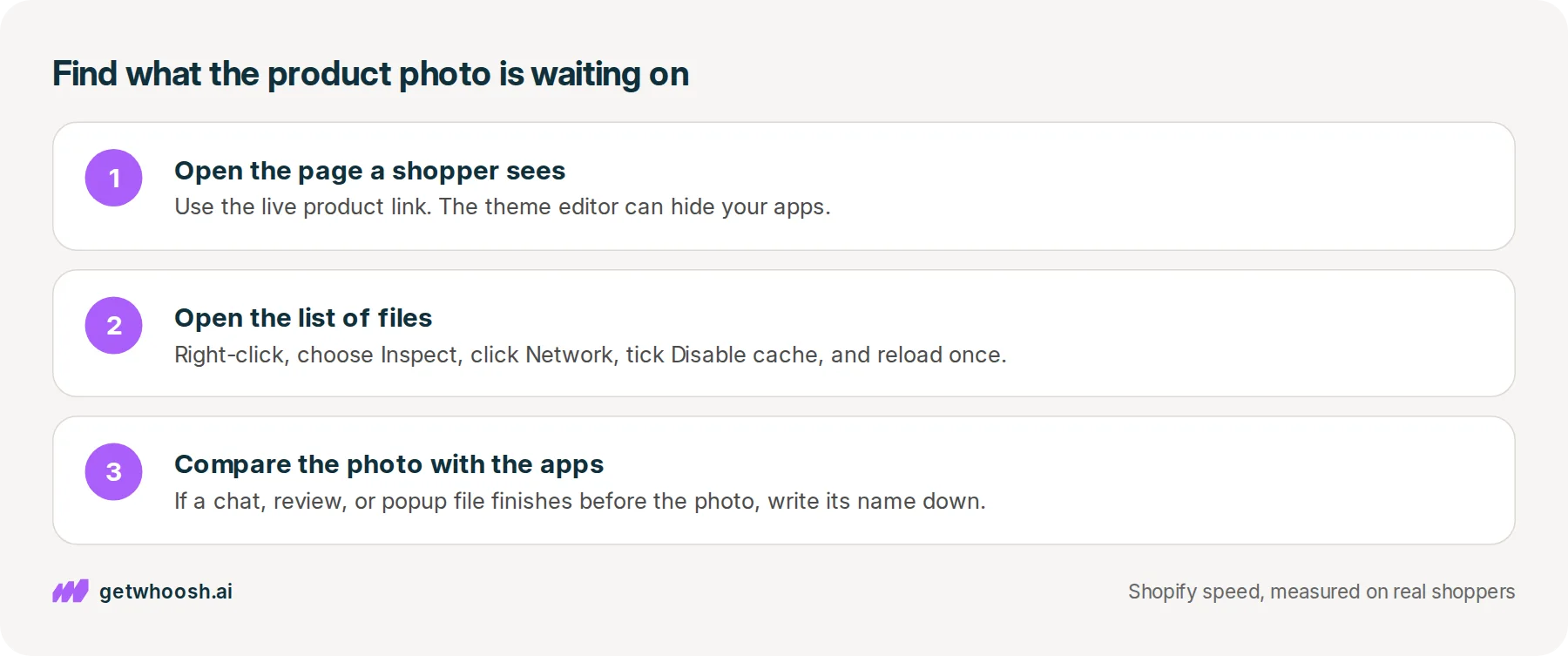
Before you pay anyone, find out what the shirt photo is waiting on. Open the live product page, the link a shopper gets, rather than the theme editor, which can hide your apps. In Chrome, right-click the page and choose Inspect to open a panel of tools, then click Network, which is the list of every file the page downloads.
Tick Disable cache, so the page loads fresh the way it would for a first-time shopper, and reload once. Find the shirt photo in that list, then look for files from other companies, like the chat or the review stars. If one of them finishes before the photo, write its name down. That’s the app worth making wait.
If you already run Insights, its screen should name that same app, and that’s the free plan doing its whole job. Once Optimize or Whoosh is on, reload the page the same way. The file you wrote down should now start after the photo. If it hasn’t moved, you are still only watching.
Then pick your row in the table. If you want to look before you spend anything, start with Yottaa’s free screen and add Optimize when you need it. If you want the waiting done at one price every month, including the busy ones, that’s Whoosh.
If the app in front of your photo turns out to be the email popup, the Klaviyo walkthrough does this same check for that one file. If you’re weighing other speed apps as well, the wider comparison covers the ones that rewrite the theme or shrink photos instead. The FAQs cover what changes when you install or remove Whoosh.
Questions merchants ask
Is Yottaa Insights enough on its own?
It is enough if what you want is the list. Insights records speed from real visitors and names the apps loading with your product photo. It does not make them wait. If the photo is still late once you know the name, you need the Optimize add-on or another app that does the waiting.
Can I run Whoosh and Yottaa on the same store?
Yes, with the free Insights screen, because it watches and Whoosh does the moving. Do not turn on Optimize and Whoosh together, since two apps holding back the same chat or popup makes a problem hard to trace. After you pick one, tap the form, the chat, and add to cart on your phone.
What counts as a page view on Yottaa's bill?
Each time someone opens a page on your store. A shopper who opens the home page, one product, and the cart is three. Yottaa's pricing page counts them over each 30 day period and charges for every page view past the first 150,000.
Do I have to remove my chat or email app?
No. Making an app wait is not the same as removing it. The chat still opens and the popup still asks for an email, just after the product photo is on screen. Open the page on your phone afterwards and try each one.
Sources (4, checked 28 Sept 2026)
- 1 Yottaa Insights on the Shopify App Store (apps.shopify.com, checked 28 Sept 2026)
- 2 Yottaa Shopify pricing (yottaa.com, checked 28 Sept 2026)
- 3 Yottaa for Shopify (yottaa.com, checked 28 Sept 2026)
- 4 Whoosh on the Shopify App Store (apps.shopify.com, checked 28 Sept 2026)
Prices, trials, and plan names are from the Yottaa Insights listing, Yottaa's Shopify pricing and Shopify pages, and the Whoosh listing, checked on 28 Sep 2026. The page-view example is arithmetic on Yottaa's published rate. No unpublished store data.
How posts are chosen, sourced, checked and corrected: our editorial policy.
Written by Edward Cameron Founder, Whoosh, Sydney, Australia
Edward Cameron is the founder of Whoosh, the Shopify speed app made in Sydney and on the Shopify App Store since August 2025. He writes here about what slows a Shopify product page and how to check it on your own store.
Next moves
Turn this into sales
Three moves, five minutes. Each one ticks itself off.
0 of 3 done
-
Measure the lift on your own store
7-day free trial on the Shopify App Store. No code, no theme edits, and a control group so the numbers are yours.
Keep reading
All posts
Speed apps & tools 7 min read
Which Shopify speed optimization app should you install?
Every speed app on the Shopify App Store promises a faster store. Each one clears a different thing out of your product photo's way, and one look at your own product page tells you which one you need.

Core Web Vitals 5 min read
Stop chasing your Shopify speed score. Measure what Google measures.
Shopify speed score has meant a Lighthouse average, and it now means three figures from real visitors. They are not the same number, and only one of them is the target.

Apps & scripts 6 min read
Does Klaviyo slow down your Shopify store?
You added Klaviyo so you can reach shoppers after they leave. That needs a small program on the product page, and it only slows the store when it starts before the product photo.
